

I thought it was a bad sign at the end of 2008 and first half of 2009 when practically every new service or application that came my way was simply an extension to or enhancement of other already-popular social networks, almost always for
Twitter,
Facebook or
FriendFeed. Even then, the cacophony of noise around Twitter practically drowned out all of it. Amid an unrelenting flurry of Twitter clients for desktop and Web and Twitter tools for unfollowing, grouping, analyzing and reporting, we also had a rush of Twitter-related sites, all aiming to find their own special niche. Among the most successful,
after a slow start, was
TweetMeme, the brainchild of
Fav.or.it founder Nick Halstead, who managed to repurpose the company and ride the wave of Twitter and retweeting at the perfect time. Seeing his success, a new challenger with a killer domain name (
ReTweet.com) is looking to unseat him, by essentially doing the same thing - tabulating the most popular shared items on Twitter.
Scratch that. They're doing the exact same thing, and the complete copycat style is insulting to anybody who deigned to take them seriously. While I had seen complaints about copyright infringement and code borrowing, I had no idea how terrible the attempt had been until tonight, when it became crystal clear how much ReTweet.com stole from TweetMeme before hitting the publish button.
On first glance, both sites display what you would expect - popular articles from often retweeted sites like
Mashable.com and the comic
XKCD.com. Popular post titles have very similar numerical scores, as you would also expect - varying as little as just over 1 percent on articles that have more than 1,000 retweets. And yes, both let you dice and slice the data by one day or seven (although ReTweet.com calls it one week instead of 7 days and TweetMeme.com calls it 24 hours instead of 1 day. You get it...).
I've seen
Digg and I've seen Digg clones. I've seen popular aggregators and their clones. I've seen social networks and their clones. And I recognize that sites that serve similar functions are yes, going to look similar. But once you move past the similar front page, the blatant stealing is jaw-dropping.

TweetMeme has a top level navigation bar, which read from left to right, says:
- Home
- Comedy
- Entertainment
- Gaming
- Lifestyle
- Science
- Sports
- Technology
- World&Business
In remarkable non-contrast, ReTweet.com features this:
- Home
- Entertainment
- Gaming
- Lifestyle
- Science
- Sports
- Technology
- World&Business
- Everything
Wow. Did they really think we were so dumb as to not notice they had the exact same title headers in the exact same order? Even down to the ampersand in "World & Business"? Really?
I don't even want to begin to understand why people think this is okay. While
Nick and I once disagreed about his first product's direction and how well that beta was prepared, I never questioned his company's trying to do something different in a competitive landscape. But what ReTweet.com is doing is upsetting. While a service like TweetMeme.com was practically inevitable, and competition is healthy, this kind of stealing and underhanded non-innovation is troubling. If this is what is acceptable from engineering teams these days, then innovative services have got to be worried about protecting their intellectual property.
When, at last month's Lunch 2.0 panel, I asked Bret Taylor of FriendFeed how he felt about services like Facebook and Google Reader borrowing aspects of FriendFeed, such as the "Like" feature, he said he felt "good" because he was making an impact on the Web and it showed alignment between differing Web properties, adding he didn't feel the company could patent words on a Web page. But I am sure the level of copycat dunderheadery on the part of ReTweet.com is not something any of us should "feel good" about. If you want to compete in this space, and you want to take on a market leader, you have got to make sure you offer real differentiation based on different source data, different splicing, different display or different intent. This attempt is a sorry gimmick that has got to have the TweetMeme.com team seeing red, and rightly so.
I'm done linking to ReTweet.com now. The next time I want to be writing about them is if they get sued or when they close down. Not impressed. This kind of launch is bad for innovation and bad for the Web.
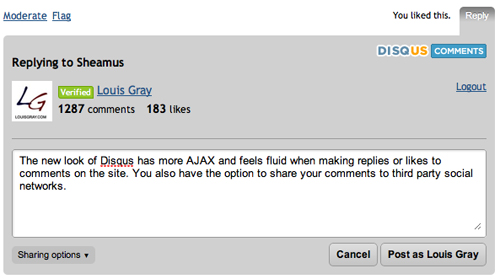
 The world of comments on blogs has changed quite a lot just in the past few years. Once the central discussion point for all activity around posts, comments have become distributed, floating to a myriad of social networks and RSS feed readers, while still others are simply retweeting the items they like. The changes were enough to see one comment provider, JS-Kit, say that comments were "dead". Meanwhile, amidst the noise, Disqus has rolled out version 3 of its product today, providing a new, smoother look and feel, and most-importantly for today's Web, real-time updating and greatly improved "reactions" that pull in activity from around the Internet.
 I am enjoying seeing the growth in Web services tailored to finding the very best news just for me. From
 Last week, many people were surprised by