Silicon Valley Technology Commentary & Archives · Est. 2006 3,031 Posts · 2006–2026

July 22, 2009

July 22, 2009 · 2 MIN READ · BY LOUIS GRAY

Proxifeed Delivers Automated Tweets and Ads Based on Keywords

Proxifeed Delivers Automated Tweets and Ads Based on Keywords

Whether you think Twitter is about conversation or about broadcasting, there is no doubt many people use it to help distribute links to share with their followers. Marketers, PR people and spammers alike have also found the social network a strong place to congregate, as they track for mentions of their name, their competition or potential buyers. (See also Travis Murdock's Marketing In the Feed post)

Proxifeed, a new tool released by Stéphane Osmont, who you might remember from his work on YokWay, automates much of the process, creating a Twitter feed built on links related to keywords you feed, including some for revenue - should you be interested.


The Proxifeed Process: A Proxy For Human Input

Upon logging into Proxifeed with your Twitter credentials, the service asks you to provide some keywords for automated postings. The more specific the keywords, the more unique your content could be. You also have the option to present three types of feeds: Content only, advertising, or a mix. You can also add one or more RSS feeds to the mix, be they blogs or from any source.

To complete the feed, choose an update frequency, and Proxifeed will then do the work on the back end to keep your automated Twitter feed going around the clock, whether you publish once an hour or less often.
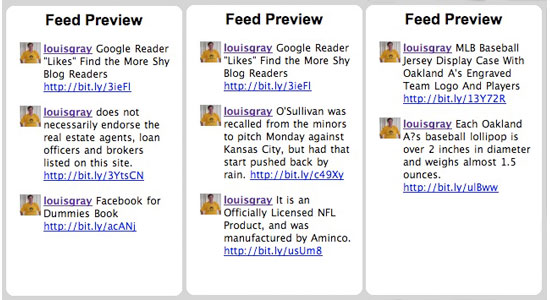

Three Potential Twitter Feeds From Me Based On My Keyword Choices

Curious what would happen if I turned over my Twitter posting to a machine filled with keywords, I tested Proxifeed with technology terms and sports terms, to see what would happen. Not surprisingly, Proxifeed searched through its bank of RSS feeds and selected specific items to go along my natural activity. By putting in the keyword "Facebook", I had an ad for a dress with the name Facebook. By putting in "Oakland A's", I got an Oakland A's lollipop.
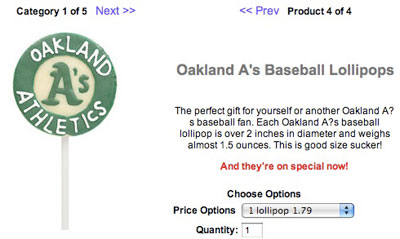

Proxifeed Would Offer My Followers This Lollipop
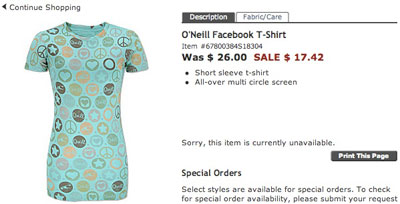

Proxifeed Also Found a Facebook Dress for Sale

Proxifeed says its offering can create "exciting and engaging" Twitter streams that will get people with similar interests to follow and make your "follower base grow", so I can see how this might be enticing to a spray and pray marketer, or somebody who opts to turn off ads and then becomes a master aggregator on a specific topic. But for people who want to remain personal on Twitter, the most likely option would be to possibly use Proxifeed instead of TwitterFeed to distribute blog posts automatically. Otherwise, the clear non-authenticity of the updates and implied personal endorsement would be quickly exposed.

If you think creating an automated Twitter feed based on keywords and a few RSS feeds is right for you, Proxifeed absolutely fits the bill. But if you want your Twitter to be updated by a human (hopefully you), you can pass.

July 21, 2009

July 21, 2009 · 3 MIN READ · BY LOUIS GRAY

Google Reader "Likes" Find the More Shy Blog Readers

Google Reader "Likes" Find the More Shy Blog Readers

Since Google Reader introduced new social aspects to their popular RSS reader last Wednesday, there have been a number of reactions to the additions - most specifically around their introduction of a "like" feature, enabling readers to essentially give a "thumbs up" to an article, as they can on FriendFeed, Facebook, Socialmedian and other networks. But those people who are claiming the exposed likes are cluttering the interface are missing the point completely. The likes functionality not only is a lightweight way to flag a story of interest, but it's a tremendous way to help blog authors and readers find others who may have been keeping a lower profile - those who don't also blog and link your way, and those who don't visit the site to leave comments.

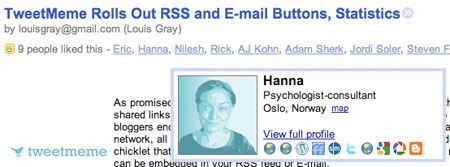
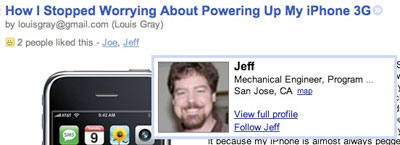
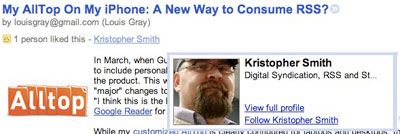
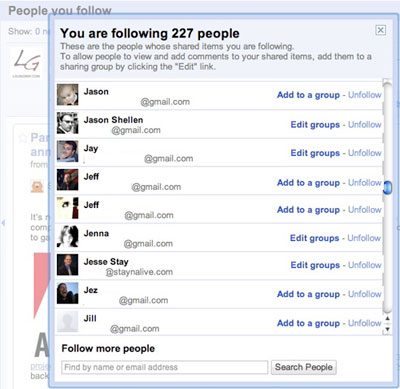
Every single blog post that flows through Google Reader now has the option to be shared or liked. And if a post is liked by somebody, Google Reader shows how many people have liked it across the network. Clicking on the number, such as "4 people liked this" exposes who liked it and a quick mouse over any of the names presents you with a short summary from their Google Profile. So not only can I take pleasure in the fact that people I already know are reading and liking some of the same articles I am, but I am finding new people who share similar interests, and finally cracking the mystery of who actually reads my blog.

I didn't know Hannah read my blog!


Jeff's a local guy - sounds cool...


And Kris knows Digital Syndication and RSS! Awesome.

It's well known that a small percentage of content consumers take action on the content, aside from passively reading it. And as the social Web has evolved, the options to respond to posts have diversified. In the last few years specifically, we have seen a reduction in linking from blogs to other blogs, and a move away from comments on the initial site and more to aggregation services like FriendFeed and Facebook, or even away from comments altogether, instead to ReTweeting - essentially the act of forwarding links to your social connections on Twitter.


Google Reader Is Seeing a Boom In Connections Over the Last Week

The comment has also evolved to include sharing and liking. I act as an information filter to the hundreds of people who read my shared items blog and in turn hundreds of people's shared items blog come my way. And following FriendFeed's lead, as Rob Diana pointed out, the advent of likes makes flagging an article as simple as clicking the "like" option, a move Google Reader has now followed. This lightweight option means that the quiet multitude of readers who to date has not chosen to leave me a comment on the blog just might find a like more palatable - helping me learn who they are, and, assuming their Google Profile is complete, find out where else they are active.

If the argument against likes is simply an issue with the user interface, that's fine. UI is relatively "easy" to alter and improve. But if the argument is to eliminate this new way of interacting with content, then that is certainly a losing battle. You cannot force readers to do what you want them to on your terms, and the more flexible programs are in terms of letting content consumers take action, the more likely it is that more of them will. I am enjoying checking out the likes on my Google Reader items and finding new people I really should know better - even if they are shy.
July 21, 2009 · 1 MIN READ · BY LOUIS GRAY

My AllTop On My iPhone: A New Way to Consume RSS?

My AllTop On My iPhone: A New Way to Consume RSS?

In March, when Guy Kawasaki's AllTop service introduced the ability to customize pages to include personalized feeds, I finally dove in and checked it out after years of ignoring the product. This weekend, Guy followed up and let me know that the team had made "major" changes to the iPhone version of the customized pages, going so far as to say, "I think this is the best way to manage RSS on an iPhone." And while I'm still partial to Google Reader for mobile and desktop, it is indeed a new way.

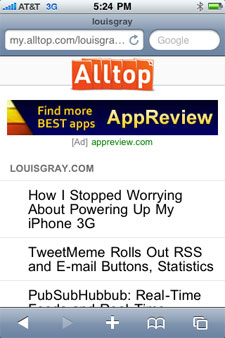
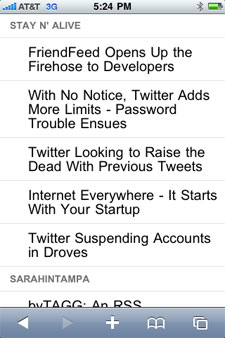
While my customized AllTop is clearly configured for laptops and desktops, the new iPhone-optimized version does away with the three column layout, returning individual blog feeds in a single column format, with your first ones at the top and so on.


My AllTop on My iPhone

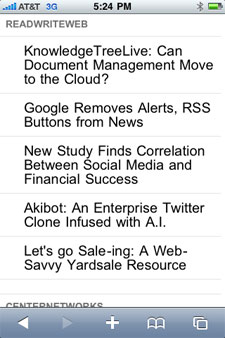
Each feed, like on the personal AllTop, lists the last five stories, and every story is clickable, opening Safari (on the iPhone) to its original source.


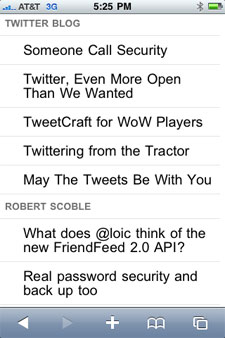
Checking Out Additional Feeds

In contrast, Google Reader lists each story in the chronological order it was received in the main Reader pane, not necessarily in the order you decided - just like its big screen counterpart.

The new look and feel for My AllTop on the iPhone is not revolutionary, and won't have me switching, but if you like a handful of feeds and want your favorite or most important to be at the top of your screen always, bookmarking your own customized AllTop on the iPhone could be a good alternative. To get there, just go to the URL you have set up on AllTop using your iPhone.

July 19, 2009

July 19, 2009 · 2 MIN READ · BY LOUIS GRAY

How I Stopped Worrying About Powering Up My iPhone 3G

How I Stopped Worrying About Powering Up My iPhone 3G

3G rules. But 3G sucks too. It sucks power. So if you're an iPhone 3G user, you know that with every downloaded Web page, application or e-mail at the higher rate, your battery is taking a beating. It's enough of an energy sucker that I often found myself switching between 3G and the dramatically inferior Edge, not because of network connectivity, but strictly because I was going to be out of juice. But now I hardly even think about it because my iPhone is almost always pegged out at max power.
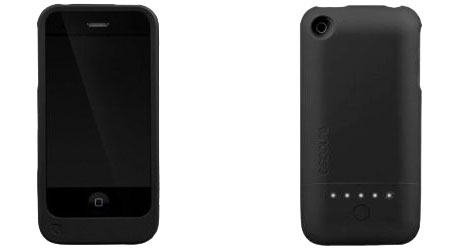
The reason is simple, and unfortunately, has nothing to do with magic.

A good friend of mine has recently been raving about the Mophie Juice Pack, which claims to double the battery life of the iPhone 3G, adding an extended 6 hours of talk time, but more importantly, letting you watch back to back movies on a coast to coast plane ride without any noticeable impact.

As a hardcore iPhone user, this sounded like a must-have. Even despite the fact I've never gotten a backup battery for my laptop, a powered off battery for the iPhone is something I've seen all too often.

So I went to the Mophie Web site, searched for where they were sold, and found I could be served at the Valley Fair Apple Store in San Jose. So off we went! But when I arrived at the Apple Store, I could not find any Mophie, and no sales rep I talked to knew where they were.


The InCase Power Slider acts as a case, and a Power Extender

But I was not out of luck, as I spotted the Incase Power Slider, which not only also doubled the iPhone's battery life, but doubles as a comfortable, if not too bulky, case. After I got home, I powered up the case, powered up the iPhone, connected the two, and ever since, I've been practically worry-free when it came to power.

Instead of hooking up my iPhone to power every day (if not multiple times a day), I charge both devices every few days, and I haven't run out of power a single time.

Some of the reviews on Amazon say the case reduced their cell phone reception, but I haven't seen that at all. The only complaint I would even think to raise is that the added bulk to the iPhone means I can't put it in my beltclip, therefore, not having a case within a case. But if you're a power user of the iPhone, and you've learned to juggle your 3G access just to keep the device on, I would absolutely recommend looking into either the InCase product or that of Mophie. Doubling your power is a great thing.

Of course, this would all be moot if we just could get wireless power adapters... like I've been talking about for a long time.