Silicon Valley Technology Commentary & Archives · Est. 2006 3,032 Posts · 2006–2026

July 17, 2009

July 17, 2009 · 1 MIN READ · BY LOUIS GRAY

TweetMeme Rolls Out RSS and E-mail Buttons, Statistics

TweetMeme Rolls Out RSS and E-mail Buttons, Statistics

As promised earlier this month, TweetMeme, the leading site tracking the most popular shared links on Twitter, has introduced a number of new tools that help publishers and bloggers encourage readers to distribute their stories through the popular microblogging network, all while tracking their statistics. The new tools include a FeedBurner-like chicklet that tabulates the total number of shares in the last week, and new buttons that can be embedded in your RSS feed or E-mail.
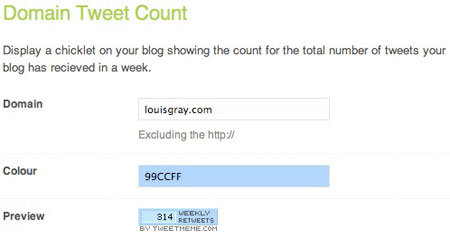

TweetMeme's New Retweet Chicklet Counter

Earlier this year, I added TweetMeme's standard "Retweet" button to posts, recognizing visitors often may want to share content they have just read with their friends on Twitter. But running standard Javascript doesn't work on RSS and E-mail, so many of my downstream readers didn't see I had done a thing. The new version operates as a standard clickable image, making this retweet functionality available to people visiting sites natively, or through Google Reader, Feedblitz or any other similar solution.
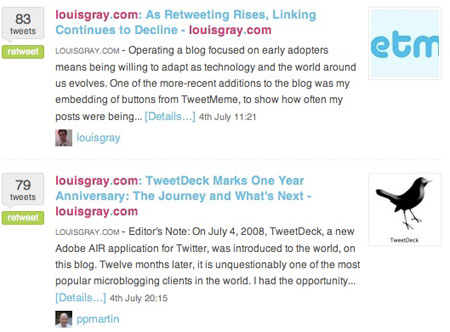

TweetMeme Tabulating Statistics By Domain On Their Site
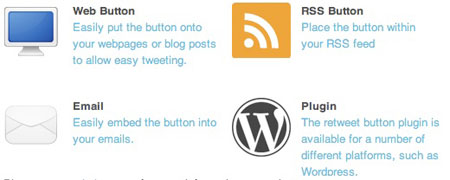


The Four Ways You Can Integrate TweetMeme Into Your Content

TweetMeme also continues to offer a WordPress plugin for those blog authors on the platform.

In parallel with today's introductions, TweetMeme is aggressively making sure they don't undercount your sharing numbers. With today's introduction, they have added support for 11 different URL shorteners, aggregating all of these shortened URLs back to the original source and giving the author credit for the share.

TweetMeme is seeing incredible growth, having jumped on the back of the fast-accelerating Twitter at the right time, and today's introductions will no doubt further cement their role in the sharing and counting ecosystem. You can see the new chicklet in the right side of my blog, next to FeedBurner stats.

July 17, 2009 · 3 MIN READ · BY LOUIS GRAY

PubSubHubbub: Real-Time Feeds and Real-Time Feedback Too?

PubSubHubbub: Real-Time Feeds and Real-Time Feedback Too?

Getting data from one place to another can never be too fast. Just a year or two ago, the speed of RSS was considered excellent, but now, with latency of RSS feeds getting to destinations such as Google Reader or other networks ranging from minutes to hours, combined with issues related to repeated polling at source sites, teams of talented engineers have taken on these problems, with programs such as FriendFeed's Simple Update Protocol (SUP) and the new PubSubHubbub taking the most-visible route.
PubSubHubbub, an protocol designed as an extension to Atom, is designed to reduce the time for updates to flow from one network to the next to almost zero, and practically eliminates the need for downstream services to constantly ask for the data.

Recently, we learned that a few major players in the feed distribution system had signed on to the PubSubHubbub train. First, last Friday, FeedBurner announced initial support for the service, making it built in for all publishers who had feeds enabled with the PingShot option (myself included). Second, Google Reader integration was demoed at the TechCrunch Realtime Crunchup, if only in prototype form. And third, FriendFeed announced support almost immediately, meaning that if I publish a post here, it should hit both FriendFeed and Google Reader practically in an instant, without any manual updates on my part.

An avid user of both services, the announcements were excellent, but in the last week, I hadn't really seen any difference. Posts made on the blog didn't hit FriendFeed right away and I didn't see updates in Google Reader any more quickly. So I did a test post Wednesday night at 11:11 p.m., titled "PubSubHubbub Test: 11:11 p.m." and nothing happened. Minutes later, I deleted it. But it didn't go unnoticed. After 1 a.m. I got an e-mail from Brett Slatkin, one of the engineers behind the protocol, asking if it had worked. That's right. After 1 a.m., one Google engineer behind this very cool tool cared enough to send me a personal e-mail and make sure all was well.

I said that I hadn't seen it work, and asked if it was, as usual, user error. But I was assured that "Nope you did everything right!" and that as things matured, they would "get the kinks worked out."

This kind of friendly, helpful outreach is the type of very real and personal service that one doesn't expect from big companies like Google, yet it happened, and it was very much appreciated. As I've stated time and again for years here on this blog, anything that can be done to help distribute data further and more quickly I am a big fan of. That I am a big fan of RSS, Google Reader and FriendFeed is no surprise to any of you, and PubSubHubbub looks like it is going to be a major boost to the entire ecosystem.

Just take a look at the test I did again tonight. At 1:08 a.m., a post from a dev server took less than 4 seconds to get from the blog to FriendFeed. (see here) In fact, it was probably faster, but it had already landed before I changed browser windows. Brett may not be "4 seconds" fast, but he's doing a fabulous job engaging with the growing PubSubHubbub community, as you can see from his comments on FriendFeed. This is the way tech and Silicon Valley should be.

July 16, 2009

July 16, 2009 · 2 MIN READ · BY LOUIS GRAY

Prowl Pushes Growl Notifications to Your iPhone for Instant Alerts

Prowl Pushes Growl Notifications to Your iPhone for Instant Alerts

For desktop applications, Growl serves to alert you when important events occur, unintrusively notifying you with a quick message on your screen. Now, with Apple's iPhone 3.0 software supporting application's ability to push updates to you in real-time, a new application called Prowl has bridged the two, bringing Growl updates, which you set on your desktop, to your iPhone, wherever you are.

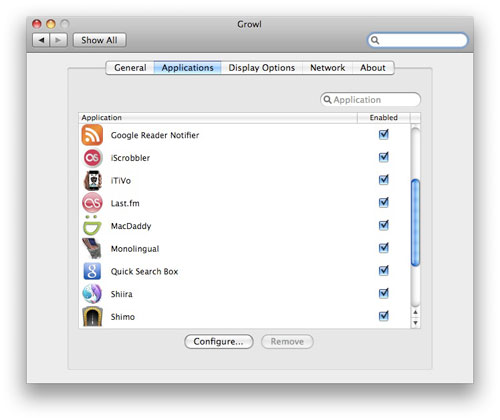
There is an extensive list of applications that support Growl on the Growl team Web site, ranging from Web Browsers and E-mail to Games, Twitter Clients and Yahoo! Widgets. And if they can push Growl notifications to your Mac or PC, they can push the same notifications to your iPhone, using Prowl.


Setting Up Prowl to Alert Me On the iPhone

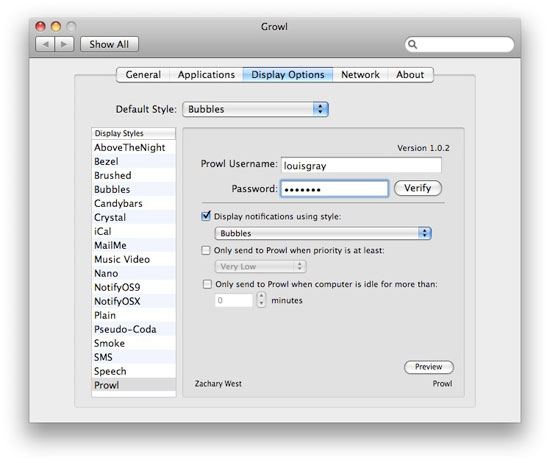
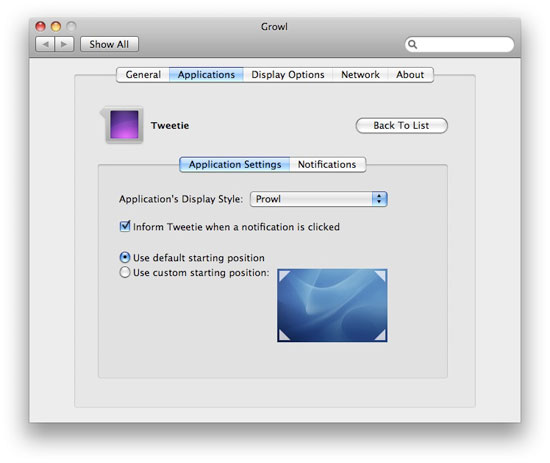
To get started, you need to download the Prowl application from the iTunes App Store for $2.99, and set up an account. Then after you add the Prowl plug-in to your computer, you can set up each individual Growl-enabled application to use Prowl, as you prefer. For example, you can set up Tweetie to send a note to your iPhone if you get mentioned on Twitter, or you can set up Reader Notifier to send you an update if you have new unread RSS items.


Many Applications on My Mac Support Growl


I Can Configure Prowl from My Desktop


Setting Up One Application to Alert Me Using Prowl


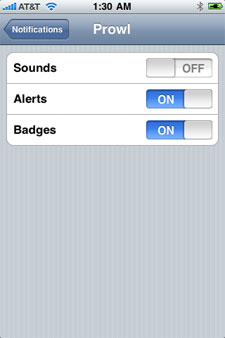
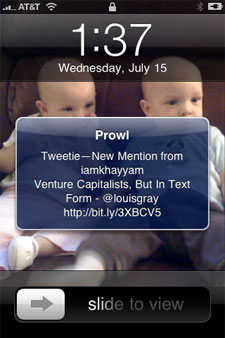
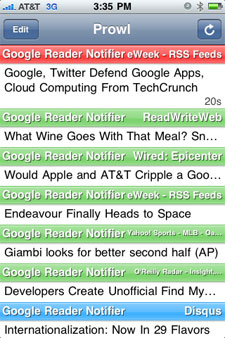
Notifications from Prowl on the iPhone can be as transparent or as invasive as you prefer, including sounds, alerts or badges, grabbing your attention as news comes to the foreground. Meanwhile, Prowl keeps a record of each notification in the application's history, showing you how often it was activated.


One Prowl Alert, and a History of Updates

Drew Olanoff, who highlighted Prowl on Tuesday, alerting me to the product says "the possibilities are endless". Whether or not that's true remains to be seen, but I found it very cool to get an instant update on my Google Reader share items even when I was in the car or otherwise separated from my laptop today. For all the buzz around what applications were going to leverage Push on the iPhone, Prowl just made an amazing shortcut for all the developers who already had made their applications Growl-compatible.

July 15, 2009

July 15, 2009 · 3 MIN READ · BY LOUIS GRAY

Google Reader Improves Link Blog Discovery, Security, Adds Likes

Google Reader Improves Link Blog Discovery, Security, Adds Likes

Google Reader, for more than two years, has played a central role both in terms of how I discover information and how I distribute information. It is through Google Reader that I get updated from hundreds of blogs and news sources, and through a shared link blog that I can parse out what I believe to be the best content, sharing it to friends I am connected to on the service, and off to third party social sites including Socialmedian, ReadBurner, FriendFeed and RSSmeme. But so far it's been difficult to find somebody's shares, obscured by a hard-to-figure-out URL. Today, Google Reader has made steps to enable faster discovery of people and topics, all within Reader.

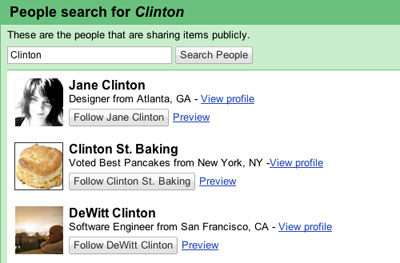
The news, which hit this afternoon, is that you can now search within Google Reader for people who have public shared items and subscribe to their shares with a single click. The new search feature, powered by Google Profiles, lets you browse by name, location or topic.


Searching for the name "Clinton" to find new link blogs

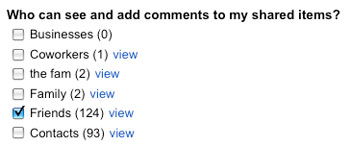
But, if you don't want to have your shared items broadcast to the world at large, you can still keep your shares private, or even share items to a specific group of contacts. These contact groups are the same you manage in your GMail, so changes on either service will be synchronized.


Selectively Share Between Groups

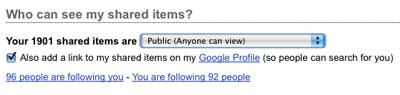
As link blogs have risen in importance, alongside your other social activity, from your blog to microblogging, etc., Google Reader has made it even more simple to highlight your link blog on your Google Profile, with a simple check box. So if you hadn't already added your items to your Profile manually, this will take care of it.


Adding shared items to the Google Profile with a checkbox

Similar to Facebook's recent move with vanity URLs, you can now also have your shared link blog feature your own Google user name, which can be enabled in your profile. So now, instead of a number like "05763917848110205585" which I have always had, mine can just say "louisgray".


You can now "Like" Shared Items In Link Blogs

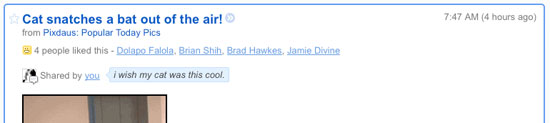
And don't think Google Reader isn't watching what is happening on other networks. The team has added on to the ability for friends to make comments on your shared items, enabling a "Like" feature, found not just on Facebook, but on FriendFeed and Socialmedian as well. So now, if you see a friend's shared item, and you like it, just click like, or hit the "L" key. So if you're a keyboard maven, you hit J to go forward, K to go back, and L to like. More work for your right ring finger. Interestingly, all "likes" are public, while comments on shared items are still only shared with friends. So if you like something, others reading the shared link blog can find out you are a fan as well.

I have long been a fan of shared link blogs, and have even encouraged companies to get into the act to show they are listening to the news and opinions in the industry. My Google Reader shared link blog is a major reason of why I've never left Google Reader for an alternative, and making the feeds discoverable should be a helpful boost to visibility. You can find my shared link blog here.