Silicon Valley Technology Commentary & Archives · Est. 2006 3,045 Posts · 2006–2026
Showing posts with label Errors (20 posts). Show all posts

July 21, 2011

July 21, 2011 · 1 MIN READ · BY LOUIS GRAY

Look Here, Macintosh...

Look Here, Macintosh...

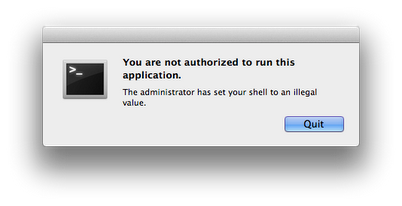
Look here, Macintosh. I guess you saw my blog post and are a little mad at me. All I wanted to do was go to terminal, say "top" and find out just what was eating all the memory and CPU. And now you won't let me? Bring it on. I've got two Chromebooks over here saying you're no longer the king.


January 11, 2010

January 11, 2010 · 2 MIN READ · BY LOUIS GRAY

In Case of Real-time Clogs, Check Pipes for Stoppages

In Case of Real-time Clogs, Check Pipes for Stoppages

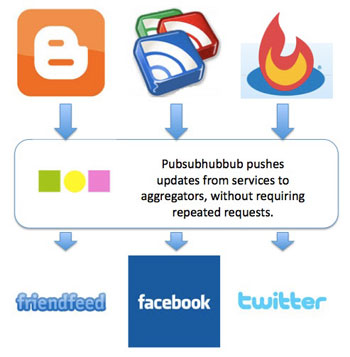
At the conclusion of 2009, I named Pubsubhubbub as the top new Web service to debut in the year, as it best exemplified our rapid adoption of real time technologies to push data from one site to another, and reduce or eliminate the need for downstream aggregation services to repeatedly request updates from source sites. I have configured my blog to be enabled by Pubsubhubbub, share my Google Reader items downstream using a Pubsubhubbub-enabled tool, and recognize the benefits of the protocol by way of fast updates on social networks including Facebook and FriendFeed. So, having grown accustomed to near-instantaneous flow, hiccups in the system rapidly gain my attention.

For the nearly 400 people who follow my @lgshareditems Twitter account, seeing my own personal filter of technology news, it would appear I have taken a hiatus from sharing the best of Google Reader, despite what some might consider a full-time obsession. But this assumption would not be true, as it is simply a symptom of a break in the flow of data.


How Pubsubhubbub Works, More or Less

Similarly, I noticed that my Google Reader shares were not populating FriendFeed in seconds, or even several minutes to hours, after they were shared. To force the updates to make their way into my stream, I needed to force FriendFeed to poll Google Reader and pull down the latest, something I haven't had to do ever since they supported Pubsubhubbub shortly after its introduction. So something was clearly broken.

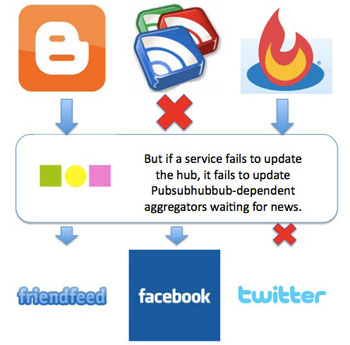
In parallel, other Pubsubhubbub-enabled items continued to act as they always had. Blog posts flowed as smoothly as ever, and after asking some techies to look into it, they reported the hub itself was fine, but instead, the "Reader/Ping" bridge that updates the Pubsubhubbub hub had found a glitch.


But There Is Currently a Break In One Pipe

While my natural inclination was to wonder if maybe Pubsub had grown to big for its britches, and stretched under load, it was just one of the upstream services that has hit a bump. It'd be worth overlooking, out of deference to the good folks at Google, but given the near-outage of about 48 hours, albeit on a weekend, it's gained awareness, and I have had others ask me what had caused the lags.

The Internet continues to be "a series of tubes", all interconnected to get us our data from one place to another, and even the best, latest, cool toys are interdependent on other sources, and no product, so far, is failsafe. If you've noticed a lag in your shares to FriendFeed and other networks, or you use Reader2Twitter on Twitter, and saw your updates disappear, yes, there is a disturbance in the force right now, and it should be solved soon, from what I understand.

For more on Pubsubhubbub, check out their new video posted last week:

August 30, 2009

August 30, 2009 · 2 MIN READ · BY LOUIS GRAY

Who's to Blame for Snow Leopard Disabling My Adobe CS4 Licensing?

Who's to Blame for Snow Leopard Disabling My Adobe CS4 Licensing?

Yesterday, like many other Mac geek faithful this weekend, I got my hands on a copy of Snow Leopard, the name of Apple's latest operating system upgrade, Mac OS X 10.6. Though I knew it reportedly had few major feature enhancements, all signs online pointed to it being a harmless upgrade. Even comments around Adobe CS3's having issues pointed to clean sailing with CS4. But my experience, so far, has been anything but clean, and it's not exactly sure what caused the issue, or what will be needed to solve it.

As you may recall, in May, we had to do a little song and dance with Adobe's tech support team to download the full version of the company's CS4 product. But since then, I've been using the product suite practically every day. In fact, practically every blog post you see here features screenshots or graphics that have gone through CS4. But this one won't, unfortunately, and it's like I am operating with one hand behind my back.


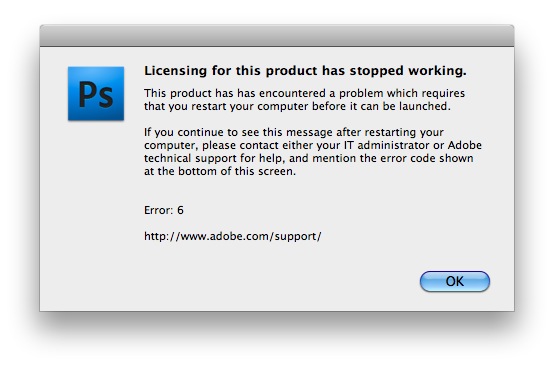
My Photoshop CS4 Forgot I Had Permissions to Use It

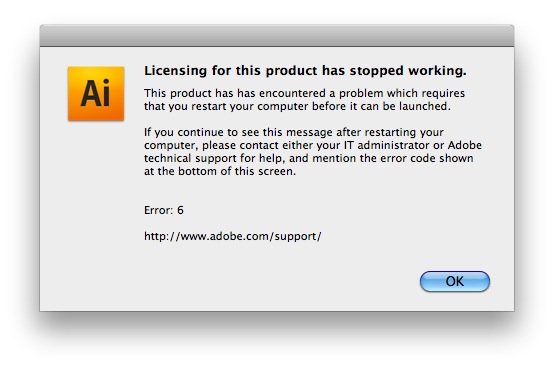
The issue is an odd one. When trying to start up any of the CS4 products, be it PhotoShop, Illustrator, In Design, or the others, I am simply told that "Licensing for this product has stopped working". The error encourages a restart, and yet, following restarts (plural), the issue remains - suggesting I tell tech support, which I will, but am not extremely excited about, especially after May's fun.


Illustrator Mocked My Trying to Launch It As Well

I have to assume that the issue has arisen as a result of Snow Leopard clawing its way on to my Mac. After all, Photoshop worked before the install, and doesn't work after, and nothing else changed. So far, online repositories aren't much help, and it's not clear which of the three players is at fault - Apple, Adobe, or me. (It could always be the user's fault). I have seen others say their CS4 apps are working great with Snow Leopard, but mine sure aren't. Maybe it's because they had the retail boxes, and going for the download version is coming back to bite me. I sure hope not.

I sent a note 1-1 to an Adobe rep who wrote me back in May, and look forward to seeing if she responds Monday. I'd be curious to see if this is a "Louis-only" issue, or if this is more widespread, and see why this is happening. Until then, get used to text only, or big juicy screenshot images with no resizing and cropping.

November 18, 2008

November 18, 2008 · 1 MIN READ · BY LOUIS GRAY

Simultaneous Downtime for SmugMug and Twitter

Simultaneous Downtime for SmugMug and Twitter

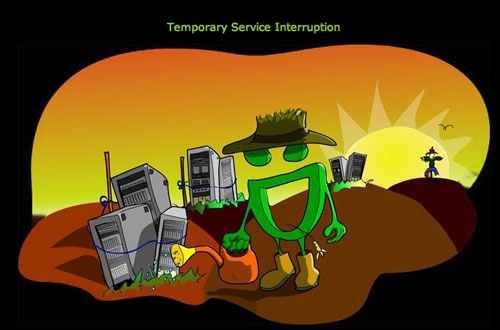
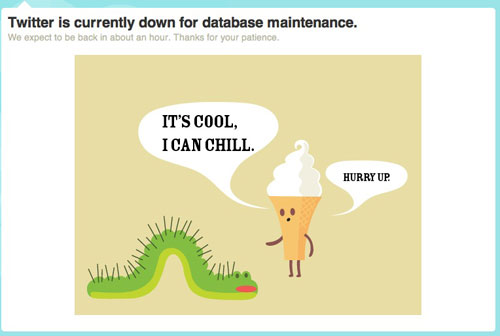
There comes a time in every site's life when it'd be easier to lay down than to keep fighting the uptime fight. And tonight, for whatever reason, both SmugMug and Twitter have opted out of the process. While life continues to function, and geeks still have the option to head to Flickr, FriendFeed or Facebook (or any other social network starting with F) to get attention, two of Web 2.0's more engaging companies took a much needed rest around midnight Tuesday morning, and as downtime is a much discussed issue, it appears both sites have gone the extra mile to deliver high-quality graphics to keep us amused as they tackle database issues or anything else that might be getting in the way of their standard operation.


SmugMug Takes A Breather

That means instead of floating birdies and a failed whale, we get pictures of an ice cream cone and caterpillar from Twitter, and the SmugMug logo watering old servers in vain.


Twitter Cools Off, Whale-Free

The Twitter Status blog doesn't indicate the reason for the database efforts, though it may be related to SMS delivery problems mentioned earlier in the day. Meanwhile, SmugMug's service blog doesn't mention any reason for the unexpected downtime, but image display on FriendFeed was completely broken.

As both services use Amazon S3, this could be signs of a wider outage, but that's just speculation at this point.

Meanwhile, Google is still up.

October 21, 2008

October 21, 2008 · 2 MIN READ · BY LOUIS GRAY

Two Features Every Gmail User Must Utilize

Two Features Every Gmail User Must Utilize

By Mona Nomura of Pixel Bits (FriendFeed/Twitter)


Reading Search Engine Journal Loren Baker's Gmail horror story brought back my Gmail nightmare.

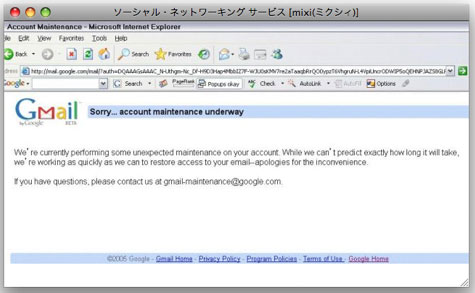
Way back in 2005, I tried logging into Gmail as usual. But Gmail kept redirecting me to this odd error screen with the message: "Sorry... account maintenance underway" and would not let me sign in. (Above image taken from my 2005 Japanese blog.)

After trying (and failing to log in) for two full days, I contacted [email protected], and even posted in Google Groups, but did not receive a resolution or even a response. I tried logging in twice a day, everyday, for four months, and finally my persistence paid off. Out of the blue my access had been restored and I haven't had problems since. But to this day, I still have no idea how or why my account was under maintenance -- for four months.
  • Yes, I know GMail is free.
  • Yes, I know GMail is still in beta.
  • Yes, I am aware I should not be complaining... but it's... Google.
Even if it's free and in beta, Google isn't supposed to... break. As embarrassed as I am to admit this, I quickly got over the trauma, and continue to use Gmail. But when Google nightmare stories catch my eye, it brings me back to 2005, and the panic of when I couldn't access my e-mail, compelling me to go out of my way and remind my friends the same thing could happen to them.

Fortunately, Gmail has two great backup features that takes only a few seconds to set-up. My peers were extremely thankful I shared, so hopefully they'll help you too. :)

Two Features Every Gmail user should have enabled:

E-mail forwarding.

I created a backup e-mail account for my main e-mail, and have a copy of everything sent to my inbox to my backup. To set this up:
  1. Create a back up e-mail (ie: [email protected]).
  2. Settings
  3. Forwarding and POP/IMAP -> Forwarding -> Foward a copy of incoming mail to "[email protected]" -- or whatever your backup e-mail address is.
Gmail's "Send mail as:"

Gmail enables adding custom 'From' addresses for free. learn more here.
So in case my main e-mail is disabled for one reason or another, I can always send e-mail as my e-mail address from my backup. For free. Pretty neat.

With the above, I have some peace of mind, though I truly hope I will never ever get locked out of my account again. Bonus: check out techradar.com's "40 Brilliant Gmail hints, hacks, and secrets" it may have some more useful tips.

Have any of the nightmare Gmail stories happened to you? Is Gmail your primary e-mail address? Do you have any preventative tips or tricks I don't know?

Read more by Mona Nomura at Pixel Bits

August 22, 2008

August 22, 2008 · 2 MIN READ · BY LOUIS GRAY

Apple's "Ease of Use" Fails Me Again, Time Capsule the Culprit

Apple's "Ease of Use" Fails Me Again, Time Capsule the Culprit

Two of the major reasons I've been an Apple Macintosh fan from just about my first introduction to computers have been the systems' ease of use, and product quality. There was a time when I would be happier using a decade-old Mac than the latest-generation Dell or HP, and that I felt absolutely sure buying AppleCare would be a waste of money. But over the years, it seems product quality has slipped, and I'm almost as likely to get a bum product as one I can expect to be perfect.

This most recent Saturday, I was delighted to pick up the long-awaited iPhone 3G, and also, a 500 Gigabyte Time Capsule, for backup. Now that the twins are here, I've been thinking to back up all their photos and videos would be a good idea.

So far, the iPhone 3G experience has been outstanding. I returned my Blackberry to IT today after transferring my phone number yesterday evening. Now that a friend of mine passed along a Bluetooth-enabled Jawbone headset, I can even make all those calls in the car without violating California's hands free law and being one of the thousands ducking below the dashboard to dial.
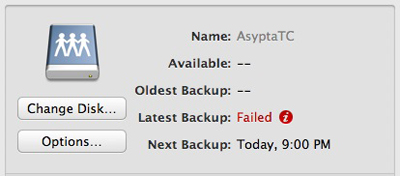

But the Capsule is an entirely different story. I unpacked it yesterday evening, installed the necessary software on my laptop, and plugged in the Capsule to my cable modem, as expected. Then I told Time Machine to find it, and start my first backup to the device.

It failed, saying, "the backup disk image could not be created".
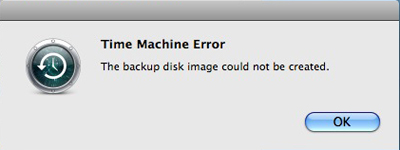

So I checked out the settings and tried different things. I had the Capsule run the wireless network. I even tried plugging into the device directly, using Ethernet. No dice. And if I tried to drag and drop any files to the Capsule from my laptop over the network, they failed too. So, I took a paper clip, reset it to factory settings and started over. More shades of fail.

Try after try... failed.

Today, a friend on FriendFeed suggested that maybe the Time Capsule wasn't to blame, but instead, that my hard drive might have some permission issues. So, I tried that too. Why not?
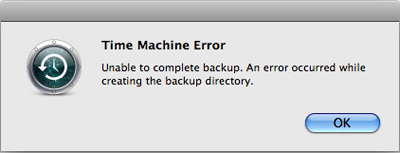

Trying again this evening, I thought I had more luck, as the backup was "Preparing" for some time. But it too failed, saying "An error occurred while creating the backup directory."

Wandering through Apple's support forums shows I'm not the only person who has had issues like this, but after years of expecting Apple's product quality and simplicity to be a cut above the rest, I'm, like others, growing a little fatigued by products that don't just work right away, or making one of many trips to the Genius Bar to replace batteries, frayed power adapters, or laptop hinges.

I haven't yet decided how long I'm going to keep pushing to try and make this product work, but if it doesn't end up working out, and I end up returning it to the Apple Store, I'm not so sure I'm getting another one. I'm on Apple products all day long, so getting the entire experience down right is a must. I'm geeky enough that just getting an Apple product to work for me shouldn't be this hard.

January 30, 2008

January 30, 2008 · 1 MIN READ · BY LOUIS GRAY

iPings Ping Service Suffering Multi-Day Outage

iPings Ping Service Suffering Multi-Day Outage

Since early last year, when Steve Rubel of Micro Persuasion introduced me to iPings, I've relied on the multi-service Ping engine to update sites including Technorati, Weblogs.com, FeedBurner and IceRocket, alerting the services that my blog had been updated. Using a simple form, I could enter my data in iPings and hit all the services at once, rather than updating them individually, or hoping their spiders were quick.

But for this entire week, iPings has gone missing, offering instead a stark notice, saying, "ipings.com is down for maintenance. We apologize for any inconvenience this may have caused. Please check back soon."

But unlike Twitter, which goes down for maintenance seemingly a few times a day, iPings has never come back up, and it's tempting to think the service just might be gone - leading me to use my backup, Pingomatic, or trust the Web crawler gods.

While iPings never sported the most creative of Web layouts, and often annoyed with flashing banner ads or unreadable captchas, it simply got the job done. Now, I have to wonder if they're all done too.

January 17, 2008

January 17, 2008 · 1 MIN READ · BY LOUIS GRAY

Feedblitz Bug Sends My RSS Stats Through the Roof

Feedblitz Bug Sends My RSS Stats Through the Roof

Today has been a big day for louisgray.com. For the first time ever, I had two posts atop TechMeme at the same time (one | two), with my question around Twitter generating a ridiculous amount of buzz, garnering over 1,000 visits, more than a dozen comments, and several different articles through the blogosphere. All told, it was the second-highest traffic day ever.
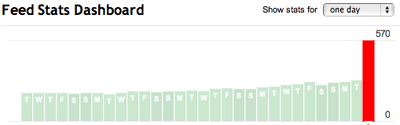
But not even this good news can be credited for my huge spike in RSS feed subscribers reported by Feedburner. That... unfortunately, is a bug.


Did your RSS Subscribers Double Overnight?

Overnight, I saw my total RSS subscribers nearly double, from 287 yesterday, to a whopping 570 today, an increase of 283. The culprit? My blog to e-mail service, Feedblitz, which somehow reported to Feedburner that instead of 18 e-mail subscribers, I somehow had 305. Simple math tells me Feedblitz added my 287 number to the 18 to come to 305, but regardless of the reason... it's just wrong.

While I'd like to think I'm Mr. Popularity, I'm still Mr. Small Potatoes.

The Feedblitz blog says its "probably just a previously unknown defect (ok, a bug) somewhere in the code." It might be related to Blogger's feed redirection, and it might not. Who knows? I had hoped the double TechMeme hit plus organic momentum had made me an overnight sensation, but it was not to be. Dang.

At least I wasn't the only one with a temporarily oversized ego.

See also:
Franzone.com: Subscriber Count Madness
BizTechTalk: Feedburner - Analyze Feed Subscribers
Authority Blogger Forum: Feedburner Messes Up

December 14, 2007

December 14, 2007 · 1 MIN READ · BY LOUIS GRAY

Even Virtual Windows Can Drive You Nuts

Even Virtual Windows Can Drive You Nuts

I've been a very happy VMWare Fusion customer for a few months now. Getting into the world of dual operating systems on my MacBook Pro has been almost universally rewarding from day one - starting with ditching my old Dell laptop, and being able to use Microsoft Outlook, use Internet Explorer 7 and other applications unavailable to us Mac folks - but in a single virtual window, letting me use the Mac the other 95% of the time.

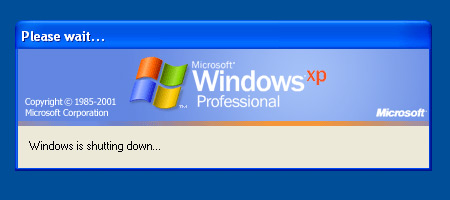
Yet, the other day, while working on e-mail or catching up on RSS feeds, I heard the familiar "Windows is shutting down" chimes, and confirmed it by looking at my VMWare Fusion application. In full text, Windows was informing me my settings were being saved, and indeed, the operating system was shutting down. And no, I didn't tell it to, and no, I don't have any idea why. I told a friend at work, who laughed and said, "Windows needs a reason to shut down?"


I caught Windows in the act of bailing on me this morning...

It happened again yesterday morning. Going to my VMWare Fusion application, I sent the Ctrl-Alt-Del command to the Windows virtual machine, and it didn't come up. I closed Fusion and reopened it. Still no dice. I went to my virtual machine library, selected Windows XP and hit "Run". Nothing. It actually took rebooting the Mac for the Windows virtual machine to launch correctly again!

So guess what... 10 minutes ago, I heard the chimes again. Windows is shutting down. Again. Without rhyme or reason. Again. Now, I have to see if I can trick it into relaunching without making me reboot my Mac. Again.

I'm happy I'm not using Windows as my primary operating system, but even this is annoying. How do people live with themselves day to day in this type of OS hell? Ridiculous.

December 5, 2007

December 5, 2007 · 1 MIN READ · BY LOUIS GRAY

That Error Message Isn't Helpful!

That Error Message Isn't Helpful!


One of the best things about having a Mac is being able to laugh when there are occasional surprises. That they're so few and far between helps us tolerate the occasional eyebrow-raising bug. Take a look at the above error message I received last week. I found it amusing enough to screenshot and share. Now just how is that helpful?

Whatever I was doing... I guess didn't work and I guess I won't be doing again. If only I knew what it was or why it didn't work!

October 1, 2007

October 1, 2007 · 1 MIN READ · BY LOUIS GRAY

MacBook Pro Keyboard Locks Me Out

MacBook Pro Keyboard Locks Me Out

Here I am, all excited about my new Apple tech toy, and it's making me feel like a chump, after all the good things I said about it just yesterday.

I successfully loaded all programs and files last night, whittling the available space on the hard drive to a mere 129 Gigabytes. But after a morning's work at home, I came in to the office, and have been completely stuck since - as the laptop isn't responding to any keyboard or trackpad input, and at the same time, the laptop's fans are whirring noisily below. A pair of restarts and a single shut down later, and I'm still feeling like world's biggest Apple fanboy moron.

After about 30-45 minutes of messing with this, I finally unhooked a USB keyboard and mouse from the old G4 desktop and attached it to the MacBook Pro, so the laptop is sitting in front of the USB keyboard, making things awkward and ridiculously duplicitous.

So far, Apple's support site hasn't been much help, nor has any amount of Google searching, System Preference manipulation, or random key hitting. For now, while I can use the USB keyboard, it's no kind of long-term solution, and I'd have to say I'm seriously annoyed.

UPDATE: According to Apple's support site, I'm not the only one with the issue... and so far, the only solution is to get it repaired. Not good!
Any Mac fans out there who have a good suggestion for me so the MacBook Pro's first day isn't ruined?

July 23, 2007

July 23, 2007 · 1 MIN READ · BY LOUIS GRAY

E-mail Faux Pas Showcases Old Message

E-mail Faux Pas Showcases Old Message

When it comes to e-mail etiquette, I'm quite particular. I tend to roll my eyes and think less of people who don't know the difference between "Reply" and "Reply All", I'm not all that forgiving with typos, and think that the way e-mails are written should be in line with your own capability for writing or communicating. So when I goof up, I'm particularly annoyed. Today, I most certainly goofed.

Late last September, I had tried to send a message at the office via the Microsoft Entourage desktop client, as Webmail was having issues. For some reason, that didn't go through either. After a few hours of struggles, I ended up sending the note from my personal e-mail account, using Apple Mail, and hadn't opened up Entourage since. Until today.

Prompted to revisit Microsoft's sorry excuse cousin to Outlook for the Mac, I fired up Entourage and set it up to synchronize, so each folder would be updated. As the app sluggishly whirred to life, filling my inbox with the latest, a familiar "Sending Mail" sound echoed. Oops. Seconds later, my message from September hit an internal distribution list and I was made to look like a fool, as the note gave a snapshot in time from 10 months prior. In the age of instant receipt and Blackberries, there was no good reason to recall. Instead, I just sighed and apologized to all for the error.

I hate that. The next step is to just make sure I never open Entourage again.

Update: Ars Technica in parallel has posted a note on curing "sender's remorse"...