Silicon Valley Technology Commentary & Archives · Est. 2006 3,032 Posts · 2006–2026

July 8, 2009

July 8, 2009 · 3 MIN READ · BY LOUIS GRAY

Lazyfeed Poised to Debut Real-time Personalized Blog Search

Lazyfeed Poised to Debut Real-time Personalized Blog Search

The overwhelming majority of attention and innovation in the world of real-time search in the last year has been paid to microblogging, with Twitter and FriendFeed making most of the headlines. But a new tool, set to debut in the next two days, called Lazyfeed, is ready to unveil a service that aims the real-search firehose at full-fledged blogs, but has done so in a clean, personalized way, based on your own activity around the Web, and the topics you hand-select as interesting.

The world of RSS readers has been slowly upgrading over the last few years. Google Reader has become the de facto standard, thanks to its simplicity and the social nature of its shared link blogs. The basic elements remain true - you subscribe to a set of blogs, and those items fill your reader, making you responsible to read them one by one, or give up and "mark all as read". Lazyfeed, true to its name, tries to bring the best news to you, by topic, rather than by source, or by friends, as other social networks do. And the result is an extremely compelling way to find new stories that are relevant to your personal interests.


Hot Topics On Lazyfeed
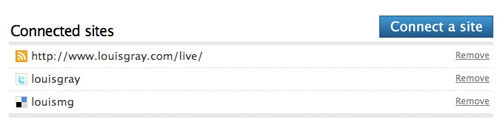


Entering my data into Lazyfeed. Look familiar?
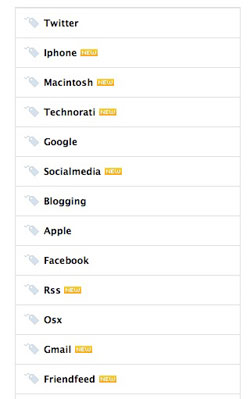
Setting up one's Lazyfeed begins as many different social services do these days - through the addition of your personal network information. I added my blog, my Twitter account, and my Delicious bookmarks. Lazyfeed then checks out your sources, finds tags, and starts to present relevant information. If you write about Google and GMail, like I did in the last two days, Google and GMail may be added as tags and relevant blog posts start to flow in, on the left side of the screen. I can click on the tag to read the posts, and as I do so, new posts that match my relevant tags take the top spot - in real time. The "topics" with new posts take the top spots, while the one with oldest data sinks to the bottom.

Helpfully, Lazyfeed makes it very easy to build out your list of relevant tags. If, for example, you selected Twitter as a topic, it will offer up relevant topics, such as Facebook, Socialmedia, Socialnetworking and Web 2.0. Clicking on any of these relevant topics feeds you, yes, relevant posts on those topics, and you can add any of these topics to the list in your account.
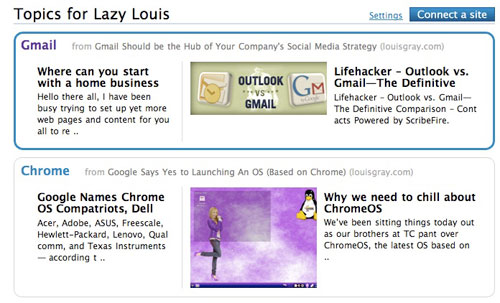

Personalized Topics Just for Me From Lazyfeed
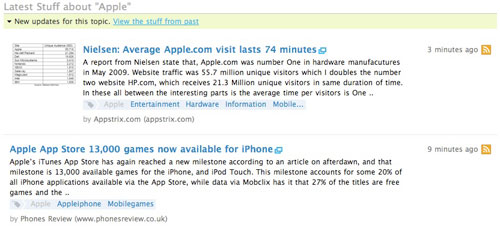

Lazyfeed Takes a Look at Apple as a Tag

Lazyfeed's innovation makes the old-school blog directory, Technorati, look like chicken feed in comparison. And instead of being forced to read every single post from blogs that I subscribe to, Lazyfeed presents me with only topics that I am clearly interested in, and ends up being a fantastic discovery tool for new blogs that I may not have known. While I have personally relied on social networks like FriendFeed and word of mouth to find new sources for blogs, Lazyfeed looks like a great way for me to find blogs that publish often, which are targeted to my interests.
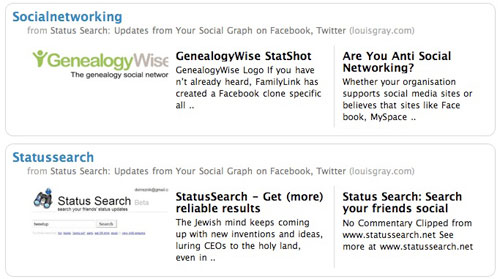

Lazyfeed Shows Social Networking and Status Search

When I met with Lazyfeed last month, I thought the company's service had incredible potential, not just for when you are logged in, but even for the casual, not logged in user. The company knows, in real time, what popular tags are filling up feed readers. It also knows the timing of posts, and could theoretically, dynamically, present to you the trending topics of the blogosphere, or make it simple to use a directory-like format to drill down and find blog posts on topics (like Yahoo! or Open Directory). With time they could get there, but they already have taken a big step forward, by introducing what are called "Hot Topics", much like Twitter Search's trending topics - which brings common conversations around mass media trends, from "Michael Jackson" to "Swine Flu", etc.

Lazyfeed is the most innovative approach to the real-time blog search world that I have seen, period. It's interesting enough to make me want to make this a very big part of my Web experience, in addition to Google Reader, FriendFeed and the rest. You can find Lazyfeed at http://www.lazyfeed.com.
July 8, 2009 · 2 MIN READ · BY LOUIS GRAY

Gmail Should be the Hub of Your Company's Social Media Strategy

Gmail Should be the Hub of Your Company's Social Media Strategy


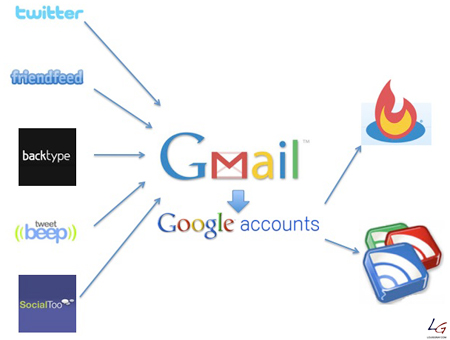
Back in March, I talked about how you can cleanly separate personal and work social media personalities, and suggested a list of tools that I use to make sure I don't blur the two. But as I talk with companies getting started in the big world of social media, one thing that keeps becoming clear to me is that they need to be using Gmail as the communication hub for their strategy. By using Gmail, companies can centralize all social media-related communication, make it available to third-party vendors who may be participating, and easily integrate with other Google tools.

One of the major hurdles in most companies looking to take on social media for the first time is their need to relax and reduce the amount of control they have over their message and who is engaging. Similarly, for some, the concept of having company-operated data, in the form of e-mail messages, on a third party site, can be daunting. But realities are that often, multiple hands are part of the strategy, and multiple people, including potentially the PR firm, need to be able to log in, making GMail a logical choice.


GMail Helps Manage the Data Onslaught

Additionally, having a Google Account is a requirement for multiple essential parts of one's social media strategy, including access to Google Reader, the creation of a link blog using Google Reader, and to set up FeedBurner for distributing your blog through RSS and tracking statistics.

By logging into the company's Gmail account, you gain immediate access to Google Reader, FeedBurner and Google Analytics, if you are watching your blog statistics closely.

What I recommend companies do is secure an official company Gmail ID and use that as the hub of their social networking activity. Their Twitter and FriendFeed accounts should use that same e-mail, as should YouTube, SlideShare, and other networks. New connection notifications and direct messages should flow through GMail, as should statistical updates, like those from SocialToo (where I am an advisor). Whether you structure the e-mail address as [email protected] or [email protected] doesn't matter, so long as it's clearly official, and the "From" data is a company name, not that of an individual.

And yes, from there, you can set up labels that automatically push e-mails from specific sources to the equivalent of folders, bypassing the in box. And with GMail, you never need to throw away any e-mail, finding your conversations threaded, and easily searchable.

Of course, Gmail can't solve every account. You still need someone to have a Facebook ID to start a fan page, and Facebook messages reside on Facebook. Similarly, you likely need a Yahoo! ID to use Flickr (if you go that route instead of Picasa). But starting with GMail as your hub makes it that much quicker to log into Google Reader and start sharing links, or click over to your FeedBurner and add new FeedFlares. To not use Gmail would mean either starting a unique account at the office dedicated to social media, or polluting the company address you already have. So if you care about streamlining your process and doing it right, point everything at Gmail.

July 7, 2009

July 7, 2009 · 2 MIN READ · BY LOUIS GRAY

Google Says Yes to Launching An OS (Based on Chrome)

Google Says Yes to Launching An OS (Based on Chrome)

That sound you just heard was the very big "other shoe" of Google being dropped. Late Tuesday night, the company announced on its official blog that it is going to soon be releasing what it calls the Google Chrome OS, a lightweight operating system, initially targeted at netbooks, but aggressively said to be their "attempt to re-think what operating systems should be."

This highly anticipated move is an extension to the company's Web browser initiative, launched just a short nine months ago, and puts Google in direct competition, once again, with tech titans Microsoft and Apple.

Though the blog post does not feature all the eye candy one typically looks for in a new operating system announcement, the author does spell out a few things. First, it will run on both x86 and ARM chips, and is considered a different project than that of Android - which many others had speculated would be Google's first foray into the world of operating systems. The post differentiates between the two by saying, "Android was designed from the beginning to work across a variety of devices from phones to set-top boxes to netbooks. Google Chrome OS is being created for people who spend most of their time on the web."

The focus on those people who spend most of their time on the Web sounds like it would be in very close proximity with the CrunchPad I covered over the weekend, but funded by a company with thousands of employees, not a few dozen.

The new push from Google also will no doubt further complicate the relationship the company's CEO, Eric Schmidt, has as a board member at Apple. Already forced to recuse himself during discussions of the iPhone, thanks to the Android platform, Schmidt may find himself recused from discussions of Apple's OS, and any future tablet or tablet OS. With this kind of momentum, just maybe he won't play an official role on the board at all?

I wouldn't anticipate seeing builds of the new operating system any time soon. Google says they have a lot of work to do, and will be relying heavily on the open source community to push the project forward. They hint to stay tuned for more updates this fall. No doubt, many will be on the edge of their seat.
July 7, 2009 · 2 MIN READ · BY LOUIS GRAY

For My Latest USB Storage Solution, the Form Factor Is Key

For My Latest USB Storage Solution, the Form Factor Is Key

At the end of May, I was able to meet with Edelman's Steve Rubel during a quick visit of his to the Bay Area. And while I already told you about one of the conversations I had with him and Steve Gillmor, Rubel was more than happy to also show off a pair of his most recent gadget related acquisitions. The first was a small iPhone stand from Seskimo that fits in your wallet. The second was a USB key that literally looked like a key, and sat on his keychain, next to the house keys and the car keys. Its simplicity and utility, at least to me, made it a must-have.
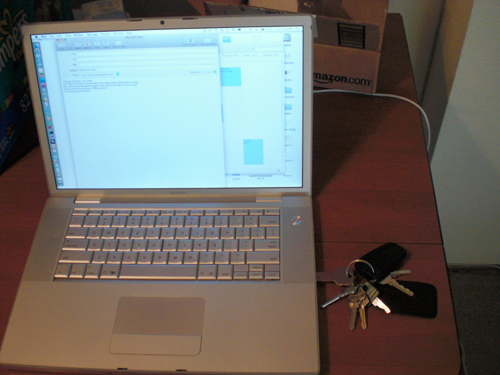
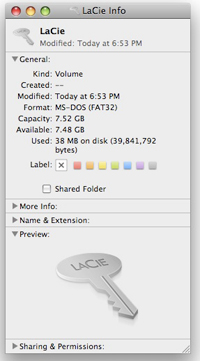
My USB key is seen here plugged into my laptop.

Needless to say, I followed up with Steve, and yes, bought both the iPhone stand and the USB key, from Lacie, called simply "iamaKey". In fact, I actually got two of these keys, and gave one to my wife, so we both can move files from laptop to laptop and location to location, no longer needing to dig through computer bags, or comb through our electronics basket to find out just where the flash drive disappeared to.

While the iamaKey from Lacie is not brand new, having been reviewed as far back as March by jkOnTheRun, it's new to me, and I haven't been eagerly awaiting any shipment from Amazon.com this eagerly since my parents sent me Mario Kart for the Wii this April. So when I got home from work this evening and learned the Lacie keys had arrived, I wasted little time in getting mine opened up, on the keychain, and pushed into service.

Weighing in at 8 gigabytes, the iamaKey isn't going to exactly replace my main hard drive, but its available size is significant enough for any project I plan moving around, from Office documents to photos, or video. For my first project, I plugged in the key to the Dell laptop from work, pushed over some PowerPoint presentations, and then plugged back into my Mac and copied the data over nice and quick. Amusingly, even the USB drive's icon looked exactly like a key - a nice touch.

With the iamaKey on my keychain now, I know I won't ever have to wonder how I can get my data to and fro, as it's always going to be there. Of course, if I lose my keys, that's a different issue altogether, so I'll try and avoid that. You can buy the drives from Lacie in both 4 gigabyte and 8 gigabyte versions here.