Silicon Valley Technology Commentary & Archives · Est. 2006 3,045 Posts · 2006–2026
Showing posts with label Seesmic (34 posts). Show all posts

April 20, 2011

April 20, 2011 · 2 MIN READ · BY LOUIS GRAY

Seesmic for Android Brings Shortcut Array for Fast Actions

Seesmic for Android Brings Shortcut Array for Fast Actions

One of the initial attractions for me to the Android platform was the flexibility of the home screens, which don't have to just feature applications in a monotonous 4 by 4 grid, but also the option to have widgets with live streaming content from social media and news sites and shortcuts to actions within applications. Social media powerhouse Seesmic is introducing an upgrade to its popular app today that fully leverages this capability - bringing all aspects of the product to the front of your device.

In version 1.7, released this morning, Seesmic introduces shortcuts to compose tweets and Facebook updates, shortcuts to saved searches on Twitter, shortcuts to Twitter lists, shortcuts to Facebook pages, and many more quick links to pieces of their system. The result is a practical launching pad for all things social from your Android home screen.


Adding Seesmic Shortcuts for All Accounts Is a Snap


I'd previously sung the praises of Seesmic for Android and Windows Phone 7 at the end of last month, and for the last month or so, I've eschewed the standard Twitter for Mac client in favor of Seesmic Desktop 2. Today's introductions show that Seesmic is doing more than just porting their iOS experience to Android, as some developers have, but embracing the OS and providing functionality users really want.


Adding Twitter Lists and Facebook Pages from Seesmic


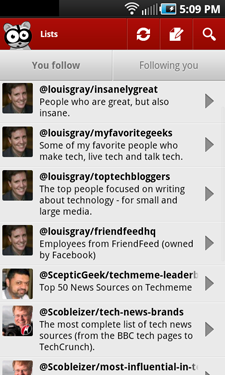
Once you've upgraded to Seesmic 1.7 on Android, adding these shortcuts is really easy. Select the menu button on your device, hit Add, choose shortcuts and pick from the many options Seesmic has. The app will recognize what accounts you use, what lists you follow, what saved searches you keep and what Facebook pages you maintain. Repeat the process until you've got as many as you like. I managed to fill an entire screen just with my Seesmic.


Adding Twitter Searches and My Full Screen of Shortcuts


You can grab the latest update from http://seesmic.com/products/android or by searching for Seesmic on the Android Market, and don't miss their great YouTube intro of the new features, which go beyond just shortcuts to include improved spam reporting, translation and link handling, from Liza Sperling.

March 31, 2011

March 31, 2011 · 3 MIN READ · BY LOUIS GRAY

Seesmic: My Go-To Twitter Client on Android (and #Wp7)

Seesmic: My Go-To Twitter Client on Android (and #Wp7)

Twitter's guidance earlier this month strongly suggested that developers working on their ecosystem bring additional value to the company, rather than trying to compete with them on a dedicated client. While assurances were made to entrenched players like TweetDeck, Seesmic and others that their products were safe, it's come with a subtle hint that Twitter's own applications are not only the market share leaders, but are also the best. But for me, I've not always agreed that's the case.

While I rely heavily on Twitter for Mac (originally Tweetie) on the desktop, my choice on mobile for Android (and Windows Phone 7) has been Seesmic - both due to its intuitive and lengthy feature set, but the constraints put on Twitter's own client.


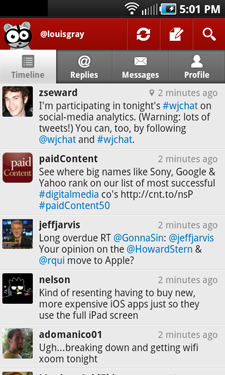
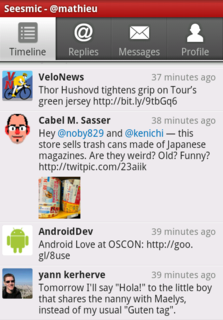
Many Supported Seesmic Accounts and the Twitter Timeline


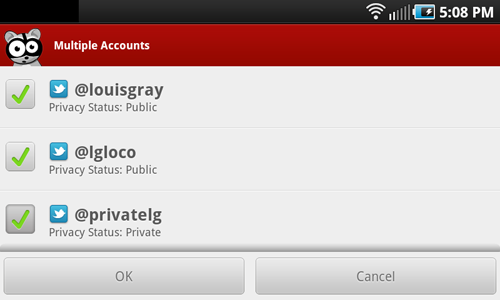
Twitter has stated (and likely they've done so rightly) that they want to appeal to more of a mainstream audience - one just coming to grips to a 140-character world full of weird languages that contain hashtags, RTs, replies, lists and other oddities. They also have a business premise of promoting their service as the exclusive place for news and social discovery. This has left an opening, taken by both TweetDeck and Seesmic, to provide a client that supports both multiple services and multiple accounts - on both desktop and mobile. For the power user who needs to use multiple accounts, you simply cannot do that on the official Twitter client for Android today, full stop. And forget about using Facebook, Google Buzz, or any other service. It's not their interest. So I've had to shop around.


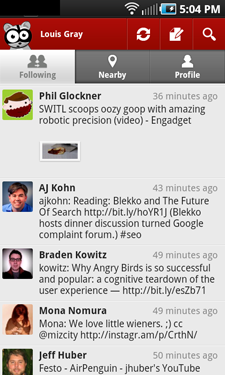
Facebook Streams and Google Buzz In Seesmic for Android


Since the company's pivot from video comments to major social media client, Seesmic has forged an interesting role of being available on practically every mobile platform and OS, adding Ping.fm for broadcast to multiple services simultaneously, and recently, doubling down on enterprise efforts with early support for Salesforce Chatter and keeping close ties to Microsoft with one-off deployments for the Windows platform.


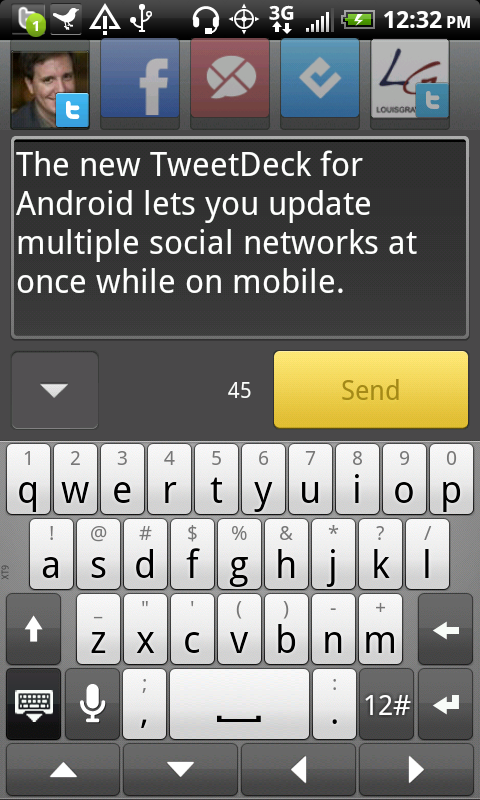
Updating Multiple Twitter Accounts Via Seesmic for Android

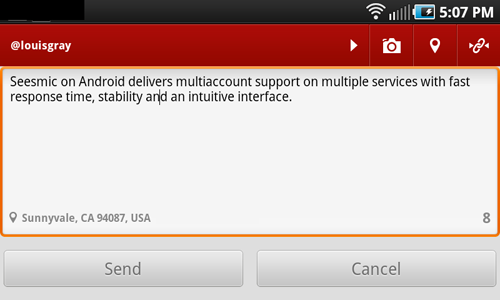
Posting an Update to Twitter on Seesmic With Geolocation


Seesmic first gained praise from me about 2 years ago with the launch of Seesmic Web, which was much more fully featured than the Twitter alternative. With Twitter having revamped to "#NewTwitter", the gap is less clear, but on mobile, Seesmic still reigns supreme. Having gotten frustrated with slowness, application timeouts and the inability to use more than one account on the official Twitter account, I turned to Seesmic, and the application not only did more, but was faster and extremely stable. No more failed searches and force quits.


Twitter Lists and Saved Searches Support In Seesmic


Beyond the standard Twitter functionality, from timelines, mentions, profile browsing, saved searches and list support, Seesmic's acquisition of Ping.fm means I can post to multiple accounts across services simultaneously, and the services are more than just "check the box" implementations. I was surprised to see how deeply you could monitor fan pages on Facebook, and the addition of Google Buzz support is welcome for me.

Amusingly, one of the boons of Android also turned out to be a detraction, for after Seesmic's installation, I would not only receive notifications from the native Twitter app that replies and messages were waiting, but the same activity would double down my alerts, coming from Seesmic as well. So I did the unthinkable and the official Twitter app is off my Android devices, which eliminates duplication. Meanwhile, on Windows 7, Seesmic was the first app I downloaded, comfortable the experience would be familiar and very useful.

To paraphrase the fun line of commercials from Dos Equis, I don't always tweet from my mobile device, but when I do, I use Seesmic. If you need multiaccount and multiservice support, it's the best dedicated client for the job. I even told them so myself for an article Wednesday on the company's blog, one of many folks who told Seesmic why they were the choice.

Disclosure: my6sense, where I am VP of Marketing, has an Android client, of course, and our app contains the ability to share updates to Twitter, Facebook and Google Buzz. If you're trying really hard, you could consider Seesmic a competitor. :)

February 12, 2011

February 12, 2011 · 5 MIN READ · BY LOUIS GRAY

The Story of TweetDeck's Rise from Obscurity to a Rumored Sale for ~$30 Million In Less than 1,000 Days

The Story of TweetDeck's Rise from Obscurity to a Rumored Sale for ~$30 Million In Less than 1,000 Days

The launch and resulting success of TweetDeck starting in the summer of 2008 surprised everyone, including the application's founder, Iain Dodsworth, who is reported tonight to be selling the product to Ubermedia for as much as $30 million - culminating a two and a half year journey from complete obscurity to a position where his product is recognized as one of the most innovative social and communication dashboards on the Web - the standard tool used from casual users to businesses and newsrooms alike. Time from the product reaching the public consciousness on July 4, 2008 and getting close to a sale on February 11, 2011 is 952 days - nearly 1,000 days of dedicated development, with practically one-fifth of the world's tweets flowing through his application, from the desktop to mobile devices to the Chrome Web browser.

Iain, in an interview with me back in 2009 referred to the first day, launch day, as "one of shock and extreme excitement," the result of his finding Twitter "a bit overwhelming" after following about 50 people. Unsatisfied with the current offerings, he set about making his own client.

As long-time blog readers know (and may remember), our paths crossed when Iain neared release of the first version, and the first product, something new the world had never seen, was covered here. I remember Iain's real fear that the first beta version would not be good enough, combined with a hope that initial press would make it visible. On July 3, 2008, he sent me an e-mail, saying:
"I am furiously coding away getting the next version out there (a real improvement on the current version). Since you are the highest profile person who has seen TweetDeck it would be great to capitalize on your visibility (if that's ok with you) so please DO blog on it with the URL possibly making the point that its very early beta and a new version is due very soon..." adding "Really appreciate any push you can give it."
The next day after trying to summarize this new product in a way that clearly described its potential, I put up a post covering it as a new AIR app with integrated search and groups. From there, the word spread like wildfire. By mid-day on July 4th, TweetDeck had managed the 6th highest Trending Topic on Summize (prior to Twitter's acquisition), behind Obama. I e-mailed Iain, and he responded quickly, "Oh cool! I've taken a screen grab :-)".

My Short e-mail to Iain with a Screenshot on 7/4/08

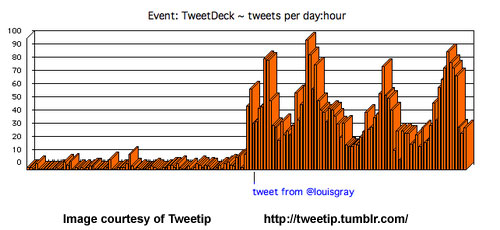
Seemingly innocent times. There's no question he probably didn't foresee what was to eventually happen, even after continued excitement around the app made it clear he'd hit a nerve just under two weeks later, when the spike in activity was highlighted by a since-defunct Tumblr site called Tweetip. Only a few weeks later, Iain wrote me to say he wanted to "make TweetDeck something quite spectacular," suggesting while looking for Angel investment, he was considering a "Pro" version of the app to sell for "a nominal amount." I am sure my answers weren't too helpful, but he forged forward.

TweetDeck's Jump As Noted by Tweetip on 7/14/08

Then came the hard work of adding more features, scaling to meet demand and finding a way to work within what at the time was a flaky service, Twitter, which struggled with API issues, downtime and frequent inconsistencies. Iain forged forward, responsible for about 4-6% of all tweets within 5 months and gaining funding in January of 2009 and becoming the desktop standard against Twitter's Web client.


I speak with Iain in December of 2009 at LeWeb


By February of 2009, TweetDeck went global, adding translations, tweets by e-mail and integrated StockTwits. As Iain's product was still relatively small, he was kind enough to offer an exclusive video demo featured in this post where he showed the new features to the blog's readers. I still remember sitting in an airport coming back from a trade show, sending him a note, and getting this video back, where he answered my questions personally in less than an hour. Even to a real-time geek like me, that was very cool. Later, TweetDeck expanded beyond Twitter, with support for Facebook and MySpace later in 2009, promising the addition of Twitter lists integration, and later expanding the vision to become the client for all streams from any source, which led to a B round of $3 million.

By this time, TweetDeck was clearly a big deal. Despite serious competition from Seesmic and others, and a parallel acquisition of Tweetie by Twitter, TweetDeck had become a serious company with big aspirations - beyond the scrappy individual who could lob e-mails to me overnight and work with my little eponymous blog to get coverage. This I welcome, of course. For all the fun of owning a story, I'd rather see the little guys graduate to be household names, and TweetDeck seemingly pulled it off. It's probable that an exit to UberMedia isn't something that kids dream about, but an 8 to 10x return on investment for VCs is a win, and Iain went from being a single guy staring excitedly at his laptop on a big first day to someone who has his finger on the pulse of the real-time Web, the move to a world of pages to a world of streams, and no doubt can afford some luxuries today that he couldn't yesterday.

For those entrepreneurs looking to get rich quick, you had better believe this is hard work. Iain once e-mailed me to say he was doing 16 hour days, 7 days a week, coding. And nearly three years is a long time to do that. It's not a 20-year career pushing papers in an anonymous cubicle, but it's attention to detail, differentiation and quality that made TweetDeck the best at what they do. I haven't asked Iain for a hint to the future, and didn't approach UberMedia for their plans either, but let's put TweetDeck next to SocialMedian and others who got their start here, and whose founders are now quite financially well off. Very exciting. Can't wait to see who is next.

November 22, 2010

November 22, 2010 · 3 MIN READ · BY LOUIS GRAY

my6sense Adds Posting, Smart Widgets to Android App

my6sense Adds Posting, Smart Widgets to Android App

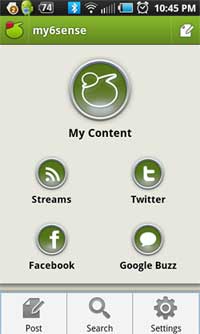
Following a humble start as a consumption-focused RSS reader on iTunes, my6sense has grown to become a versatile intersection of news and social, consumption and sharing. The app, available for both iOS and Android, pulls in streams from Facebook, Twitter and Google Buzz, and lets you share out to each of these networks. Today, the company, where I am VP of Marketing, issued the latest update for the fast-growing Android platform - bringing native posting to the aforementioned networks within the app, and a helpful widget that brings your top news to you on your Android device.

As you can imagine, creating an application that impacts social streams like Facebook, Twitter and Google Buzz presents its own challenges, as users start to expect the most advanced capabilities of native clients, such as TweetDeck and Seesmic. No sooner did we support these networks than did calls come for native replies, retweets, direct messages, likes and comments for each network. After knocking those off, the similar refrain continued as people wanted to update their status on the go directly from our app, instead of reading an update in our app and opening a second one to jump into the streams themselves.

So we listened.

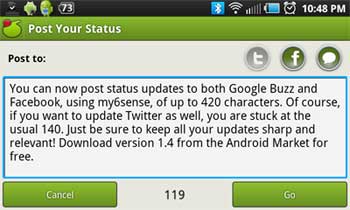
You can now Post to Your Networks in my6sense for Android.

Version 1.4 of the application, available free on the Android Market, has a "Post" button in the top right of all streams. And it's not limited to just one stream at a time, either. If you have connected your Facebook, Twitter and Buzz, you can post to any or each of the networks, much like the Seesmic-owned Ping.fm does. Of course, if you post to Twitter, the standard 140 character limit applies, and Facebook updates are similarly limited to 420 characters. That said, if you have a keyboard on your phone and you want to bang out War and Peace, point it at Google Buzz, and you can go as long as you like.

Posting to Facebook and Buzz Using my6sense

One of the benefits of building out a sharp app for the Android platform is customization of a widget for the app - unavailable on iOS. Familiar with widgets from other platforms, which tend to show the most recent update, chronologically, we wanted to leverage the strength of our service, bringing personalized top news to you - and more than one update. The widget, a stylish black, scrolls through your top messages and you can click the up or down arrows to find them yourself, without opening the app. Find the article you like and click through to read.

The my6sense Widget With Top Stories

my6sense's core focus is, and will be, on making sure the best content gets to you as an individual, and that you don't miss important updates. We're working on making this digital intuition available in more places, and with more partners. But we want to make this a versatile Swiss Army knife that lets you jump into the streams with both feet.

Brad of TheNextWeb, a great user and clear fan of the service, wrote about the updates, saying "my6sense for Android gets updates to take over as your social client of choice". Choice is a good thing. I will choose the smart apps that make me the most efficient. He also posted a great demo video you might like. If you are on Android and haven't already picked up the app, find it at http://bit.ly/m6sandroid.

Disclosure: I am VP of Marketing at my6sense.

August 11, 2010

August 11, 2010 · 3 MIN READ · BY LOUIS GRAY

TweetDeck Looms to Battle Seesmic, Twitter on Android

TweetDeck Looms to Battle Seesmic, Twitter on Android


In the two years since TweetDeck first launched on the desktop, it has set the standard for multi-functional multi-account Twitter-centric applications, bringing the concept of columns, grouping and integrated search to what had previously been a bland market of simple apps. With the product's success, we saw the metamorphosis of Seesmic from a video comments company to one that has gone head to head with TweetDeck on practically every screen, even as the two saw focused effort from Loren Brichter on Tweetie pass them by and become the official Twitter application from the microblogging mothership for both the Mac desktop and the iPhone.


Now, the two are competing for visibility on yet another screen - that of the fast-growing Android platform, and unlike previous battles, which usually saw TweetDeck innovating first, it was Seesmic who got there first - in a big way, going live on Android and BlackBerry back in November of 2009. Tomorrow, TweetDeck will officially launch the first iteration of its Android product on the Android Marketplace, and those who prefer it will once again have that choice.


The Accounts Pages for TweetDeck and Seesmic for Android


As Twitter quite visibly has filled holes in its lineup with the addition of Tweetie, both TweetDeck and Seesmic have positioned themselves as the more robust alternatives, providing support for not just Twitter streams, but also Facebook, Google Buzz, LinkedIn and Foursquare, depending on the platform. Seesmic's Android app, so far, in the absence of an offering from TweetDeck, has been my choice, thanks to its integrated multi-account and multi-service support - something Twitter's native app simply won't do.


TweetDeck Updates Put Multiple Sources In One Stream


Now, for Android, both applications will allow you to view streams from multiple sources, and update multiple accounts simultaneously. But where TweetDeck and Seesmic differ is that Seesmic's activity is very hierarchical. You view one of your accounts at a time, and go back to the top level to see other accounts, while TweetDeck is looking to "mix" the streams with updates from all different sources in a single column.


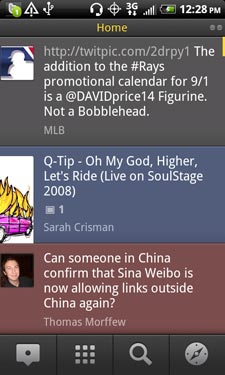
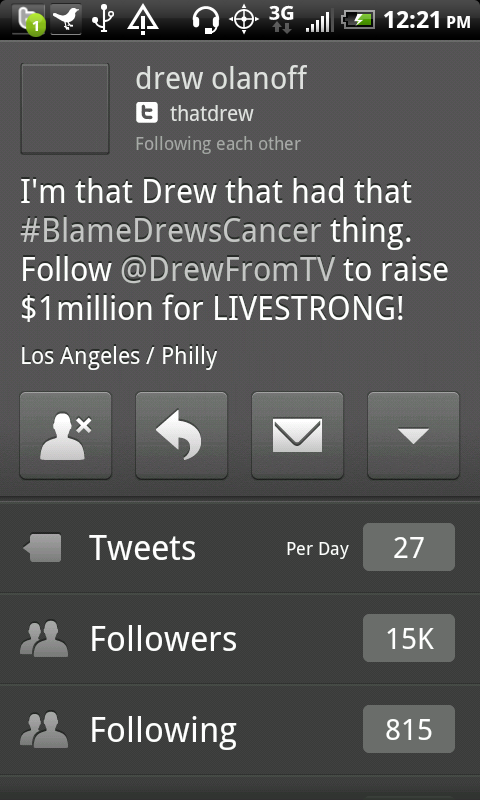
Updating from TweetDeck Android and Browsing a Profile


Updates display in TweetDeck in different colors depending on their source. Gray updates are from Twitter, Red are from Google Buzz, Blue are from Facebook, and Aqua updates are from Foursquare. Now, you can see all these in one place. Also true to TweetDeck's background is the option for you to swipe right or left and see more specific "columns", including a new one called "Me", which captures mentions for you across multiple networks, including Facebook comments and likes, as well as Buzz updates on your content.

A New "Me" Column in TweetDeck for Android

For somebody who needs that mixing of updates across networks on a single mobile screen, TweetDeck will be the best option. But the early version, which I have been using all day, definitely feels brand new, while Seesmic's offering is more stable and feels easier to use - no doubt the product of having been publicly available on Android for more than 8 months. TweetDeck's Android launch has been much-awaited, and its integration of a column for "Me" is interesting. The product also offers deeper integration with Foursquare, tapping into venue details for check-ins.

For TweetDeck addicts, the introduction does not come too soon, even if Seesmic, today, is a stronger offering. This should be a fun space to keep an eye on over the next several months.

July 14, 2010

July 14, 2010 · 1 MIN READ · BY LOUIS GRAY

Seesmic for Android Adds Support for Google Buzz

Seesmic for Android Adds Support for Google Buzz

My personal switch from iPhone to Android (much more visible than I ever had anticipated) was made easy due to the existence of high quality applications I already was familiar with from the iPhone platform, enabling me to simply migrate and not lose a step. Among the best applications, one I rely on daily, is Seesmic, which, in contrast to the native Twitter application for Android, comes with multiple account support, and the goal of supporting multiple networks.

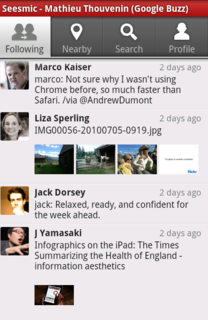
Today, the great news comes that Seesmic is adding integration of another one of my most-frequent destinations on the Web - Google Buzz.

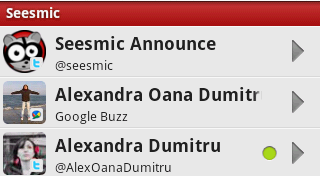
Signing In With Multiple Accounts, Including Google Buzz

The new Seesmic, available on the Android Market, adds Google Buzz support, inline preview of images and links for Buzz and photos for Twitter, and also adds OAuth support - the login standard for Twitter.


The Google Buzz Timeline In Seesmic for Android


The launch of Google Buzz's API resulted in multiple applications tapping into the growing network, and making Google's current social offering as easy to access as Twitter, Facebook, LinkedIn and other top communities. We saw the debut of Buzz support in TweetDeck and Seesmic Desktop, and Seesmic is the first major Twitter client to bring Buzz support to mobile Android platform - a perfect fit for geeks who are leveraging the Google platform as much as I am.

To aid the onboarding of its newest customers, it makes sense for Twitter to keep its core applications to be single-network centric, but for the rest of us who participate in multiple places, the option to do so in one app, like Seesmic, is welcome.

As for Google Buzz, you know you can find me here: http://www.google.com/profiles/louisgray.

May 20, 2010

May 20, 2010 · 3 MIN READ · BY LOUIS GRAY

TweetDeck Aims to Be Client for All Streams In All Places

TweetDeck Aims to Be Client for All Streams In All Places

I touched briefly on TweetDeck's promised integration of the Google Buzz API yesterday evening, but did not gain the opportunity to try Iain Dodsworth's latest client until today. Luckily for me, I also ran into Iain at Google I/O this afternoon, and in stopping to congratulate him on his firm's raising $3 million in funding for a B round to fuel continued expansion, we talked about TweetDeck's future and got a sneak peek at some unreleased versions looking to hit computer and mobile screens soon.

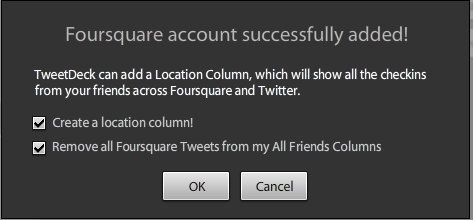
The latest TweetDeck, available from their site, not only incorporates Buzz updates, but also Foursquare - much like its online cousin, Seesmic, had announced earlier this week. The additions mean that, should you choose to do so, you can view updates from Twitter, Facebook, LinkedIn, Buzz, Foursquare, and MySpace all from within TweetDeck's signature columned interface. TweetDeck was also featured running in full HTML 5 in the Chrome Web browser during Wednesday's keynote, and I saw it running again, on Iain's demo Mac today. In addition, Iain showed a sleek Android client of TweetDeck that's bound to hit very soon.

Adding Buzz and Foursquare to My TweetDeck

One of my main suggestions/complaints about Buzz in its 100 day life is that it is so closely tied to GMail. Even if I use GMail as a secondary account, I have always done so via IMAP, and read my GMail updates in Apple Mail. As a result, getting to Buzz requires a separate login to GMail.com, and then clicking the Buzz tab. It has always felt the same as using a product in emulation or virtualization mode, and native is always better. But getting the Buzz stream in TweetDeck is surprisingly clean - and is a solid alternative that doesn't force me to go through GMail.com first. From there, I can post directly to Buzz (but not with rich media yet), I can see others' streams, and add likes or comments right from within TweetDeck.

Hiding Foursquare from Other Columns! Yes!

I am also extremely partial to the option to add Foursquare as a separate column in TweetDeck while simultaneously hiding Foursquare updates in the "All Friends" column. Great move.

While many Twitter developers were shaking in their boots over the company's acquisition of Tweetie and development of Twitter for Android, Iain said he had no such fears. TweetDeck is focused on the high end of the market, he said, one that does not fear complexity, but is instead looking for a rich and heavily featured social media experience.

Buzz Activity Front And Center In TweetDeck

With TweetDeck's multi-column interface becoming instantly recognizable, more and more services are no doubt jockeying for position. As we were at Google I/O, we only partially joked about a Google-centric TweetDeck (GoogleDeck?) that would pull in Buzz, Google Wave, and Latitude, in lieu of Foursquare.

Iain reported that TweetDeck has swelled to 15 employees in the nearly two years since the product debuted in mid 2008, adding that even if TweetDeck were revenue-free, the $3 million raised today would last the team about two years, all expenses included. But TweetDeck has already found revenue streams, part of why the VCs are interested in getting a deeper position. Getting on more screens in more places with more content will no doubt make the product the feature-rich alternative to standard Twitter, and seeing Buzz in the client is already pushing more activity back to that network - making the move a win for both parties.

May 19, 2010

May 19, 2010 · 3 MIN READ · BY LOUIS GRAY

Google Buzz API Debuts, Fueling Potential Network Growth

Google Buzz API Debuts, Fueling Potential Network Growth

Google Buzz celebrated its 100th day of public existence at Google I/O Wednesday with the introduction of its much-awaited API, and the immediate adoption of that API from some interesting showcase partners, including Seesmic, TweetDeck and SocialWok. In the last three months of Buzz's availability, I've discussed how Google had aimed to avoid offering proprietary standards for developers to point their applications to, choosing instead to work with open tools including OAuth, AtomPub, Activity Streams, Pubsubhubbub, RSS and WebFinger. On Google I/O's first day, the company showed the first fruits of that labor, giving the fledgling network the opportunity to tap into the same developer community that other services, including Twitter, Facebook and LinkedIn, have enjoyed.

Chris Chabot (@chabotc), a developer advocate for Google, explained the role of Buzz at Google Wednesday, saying that "The Web is better when it is social," chronicling the rise of social activity to the point where having a social profile online is as common as having a mobile phone. "The Web is becoming a social place. It is moving from a static place to one about people sharing experiences, playing, working and talking together," he said.

Initial Partners Using the Google Buzz API

But as Google's social team has chronicled several times, including Chris Messina's talk on Activity Streams at SXSW this Spring, many of the different destinations on the social Web speak different languages. Rather than inventing a new language, Google wanted to utilize existing standards to avoid such headaches, and make Buzz part of the Web's infrastructure, "not a special destination."

In April, after one particularly nutty report was issued on Buzz's aggregation statistics, we proved the majority of Buzz's active content originates on that network. The new Buzz API makes it easier for third party clients, such as Seesmic and TweetDeck to push comments, likes, rich media and other updates to the network, but also to consume content from Buzz in users' favorite application. This seemingly minor move - one already seen by Facebook and LinkedIn, puts Buzz on par with those historically larger networks, and ahead of scrappy startups like FriendFeed, which never gained such prominence.

Google Buzz Displayed In Seesmic (Next to Foursquare)

Marco Kaiser (@marco) of Seesmic, who demonstrated his company's application pulling and pushing data from Buzz, said Seesmic wants "to support as many services as possible to as many products as possible", and as of today, all of their products, including the Web version, Desktop and Android clients, let you add Buzz as an account and see Buzz content alongside Twitter and other updates. This caps a busy week for Seesmic, following their Monday addition of Foursquare and other updates.

While Twitter has had an off and on relationship with its own development community, the ease of developers creating applications and Web services has led to much of the service's growth. Buzz, assuming expanded adoption of their API by other partners, could receive the same kind of boost that so far has been lacking in the service - seemingly siloed despite so many promises to connect with the outside world.


In addition to the announcements by Seesmic and other partners, Google introduced a testbed for developers to try out the API, which you can find at http://www.buzz-demos.com/. The test site lets you display your stream, add, edit and delete content, follow and unfollow others. It surely won't be all that long until many of the automation tools that have existed in Twitter's ecosystem make their way to Buzz.

As someone who long begged for services like FriendFeed to be supported by major clients like TweetDeck and Seesmic, but didn't see it happen, the rapid adoption and seeming ease of the Buzz API is a huge endorsement for the future of the network. It could have something to do with Google's name being attached, or the ease of the standards, but the potential is there nonetheless.

Google's official post on the new Buzz API is here: Introducing the Google Buzz API. You can find me on Buzz here: http://www.google.com/profiles/louisgray.

May 17, 2010

May 17, 2010 · 2 MIN READ · BY LOUIS GRAY

Seesmic Integrates Foursquare Updates In Web Client

Seesmic Integrates Foursquare Updates In Web Client

Regardless of your feelings on the utility of location apps, or their value in comparison to other updates in your social streams, a lot of people are using products like Foursquare and Gowalla to announce their location and learn what places are trending. With the availability of Foursquare's API, third party applications, including Seesmic, are giving the product prime real estate, letting you keep tabs on your friends' comings and goings without peeking at the dedicated app on your smartphone.

As Twitter has recently taken aggressive moves that clash with some parts of the developer community, thanks to their acquisition of Tweetie, and creation of an official Android client, third party clients are trying to find a way to drive differentiation, opening up their doors to data beyond Twitter. Some, like TweetDeck, have opened up to LinkedIn. Brizzly serves as a Facebook client, as do many others. Now, Seesmic, at least on its Web version, is adding Foursquare. In theory, the more services offered, the less the reliance on Twitter, despite its dominant position.

You can see Foursquare updates alongside Twitter In Seesmic Web.

If you have a Seesmic account, and a Foursquare account, connecting the two is very simple. Go to the Seesmic Web interface (at http://seesmic.com/web/), log in as you, and then click your settings, in the top right corner. You can "Add a new account" for Foursquare, as well as Ping.fm, if you prefer, and the service will connect, using OAuth, to ensure it's actually you.

Foursquare is listed as one of your accounts In Seemic Web's preferences.

Once completed, Foursquare can be displayed as a single column in your Seesmic Web.

With Foursquare having great visibility, integration of the service into products like Seesmic seems like a foregone conclusion - and I have already talked to other Twitter clients who are going to do the same shortly, but Seesmic Web looks like it was first to the game. If Foursquare is important to you, set your location to Seesmic Web and become mayor of your Web browser.

April 11, 2010

April 11, 2010 · 6 MIN READ · BY LOUIS GRAY

You Asked Twitter to Grow Up. They Have. And You're Mad?

You Asked Twitter to Grow Up. They Have. And You're Mad?

The Friday night surprise of Twitter having acquired Tweetie from Atebits, and adding its creator, Loren Brichter, to the company's swelling mobile team, on the back of Twitter's also announcing their first mobile client for BlackBerry, not only was big news on its own, but it has set off waves in the world of Twitter application developers and users, some of whom are seeing the move as something akin to a betrayal or an anti-competitive move, which puts the owners of the platform in conflict with those expanding it. While I am sympathetic to some of their positions, having seen competitive clients find the world in which they live a lot more difficult, the step is a brilliant one, which is an important stepping stone in terms of moving Twitter forward as a business. For years, as users and coders, we begged for Twitter to graduate from the lean startup mode, with questionable quality and uptime, to one focused on delivering an exceptional product. Now, they are executing, and the next 12 months will undoubtedly be defining in terms of how the company potentially transitions from an cash-burning endeavor to a revenue-generating technology giant.

First and foremost, the most telling bit from Twitter's post on the acquisition of Tweetie came in the first paragraph, when the company explained that people searching Apple's iTunes App store for a Twitter client would not find an official application, but instead a host of them, which was confusing and offputting. While we early adopters have enjoyed the array of Twitter clients, from TweetDeck and Seesmic to Tweetie, Brizzly and many others, it is easy to see how the mainstream audience could be lost before even starting. After all, Facebook and LinkedIn have official applications for the iPhone, from the company themselves, and Twitter didn't - a major hole in their offering. This admission by Twitter to said hole, and solving it on two platforms in one day, is a big move, and one that further cements their brand leadership, instead of sharing that brand with another client or another service.

The acquisition of Tweetie instead of other applications is sharp for more reasons than one. Note that TweetDeck and Seesmic and Brizzly, as well as many other applications serving Twitter, have been drawn to support multiple services in addition to Twitter, most often Facebook. Twitter buying Tweetie, which had remained Twitter-centric, avoids the headaches of peeling away Facebook or Identica or other services' updates, and keeping the application dedicated. Also, despite my personal relationships with many different Twitter client developers, I have always found myself coming back to Tweetie, both on the iPhone and on the Mac. In October, after thinking aloud about Twitter (Web), Tweetie, TweetDeck, Seesmic and Brizzly, I came to the conclusion that Tweetie was closest to the ever-elusive perfect Twitter client. Not only did it offer a top-quality feature set, but it did so with an unmatched interface and innovative integration with practically all leading-edge options, like location, photo integration and lists. So Twitter is not just buying a solution, but they are buying the best one. That Atebits was practically a sole proprietorship, not burdened with millions of dollars of VC funding, as Seesmic and TweetDeck are, made the purchase an even easier move.

If you wrap all that into one statement, Twitter arguably purchased the best client for the best price with the best dedicated feature set, keeping their service at the center of the universe, not competing for attention from other social streams. In one fell swoop, Twitter went from being a zero on the iPhone and Mac client space to the leader, and we can expect iPad comes soon.

But enough about that. People are still throwing up their hands about Twitter's move, saying it makes developers less likely to work on their platform. That platform owners sometimes innovate in ways that go head to head with their own ecosystem is not new. (See: Charles Hudson: Three Reminders About Platform Businesses) Microsoft has made a living from it. Apple does it all the time. And now Twitter is maturing and doing the same. This isn't because they are evil, or hate developers at all. What they need to do is extend their product and extend their brand and start to do a better job of owning the user experience. To date, the Web site has not seen as much growth as the client ecosystem, meaning much of Twitter's onboarding and initial user experience has been owned by third party apps who are not as loyal to the platform, all too happy to offer options to gain data from Facebook and Linkedin, for example.

Much of the discussion in the last week has centered around Twitter developers plugging holes in the company's product. No doubt for the most part that has been true. For example, SocialToo, Jesse Stay's company, where I am an advisor, in early March, enabled phishing protection in all direct messages for all users. (I wrote about it) That was announced on Monday, March 8th, after significant development. But the very next day, on Tuesday, March 9th, Twitter announced that they too were stepping up their anti-phishing attacks in direct messages. The assumption could be that Twitter was cutting Jesse off at the knees, but in reality, they were working to protect their own customers and doing the right thing. Jesse wrote a little about that tonight in a post titled "Twitter, Two Years Later and Nothing Has Changed", and he knows, as I do, that it will take more than plugging holes in Twitter's product to develop a successful business.

While Twitter's move removed a competitive lead from SocialToo in this specific case, it was no cause for alarm or fury, any more than it should be for dedicated Twitter clients who will be building alternatives to Twitter's own products now. If they are looking to attract users, they will need to continue finding ways to offer differentiated user experiences, and innovating where Twitter may be behind. Keep in mind that it was Twitter's users who came up with hashtags, replies and retweets, and clients like TweetDeck who debuted columns and multi-account support. Buying Tweetie doesn't mean that Twitter overnight is going to be innovating at that level.

In December, following a presentation by Ryan Sarver, Twitter's director of platform, at LeWeb, I said that "Twitter's Maturation Continues As They Embrace Developers". While this week's news may not feel like an embrace, it is absolutely sign of maturation. The company is now stopping those holes, and securing the infrastructure. We also have already seen hints of a new revamped Web interface that should take the user experience up another level again. The company continues to hire new people practically every week, almost all of them notable - and bringing with them solid resumes from Valley giants.

This rich pedigree of people and a growing user base that is showing record site activity every month, along with the company's planned @Anywhere platform, pending advertising model, and expansion through business development and word of mouth around the world is setting Twitter up for market leadership approachable by only a small handful of Silicon Valley titans. It's what we all have been asking for them to do as we begged for site stability, greater user discovery, improved tools and reduced latency. There will be some bumps along the way, as the developer community sees churn, and some products eventually are made obsolete. But Twitter can't reduce its own potential in the name of being the friendly nice guy. They need to think about their own business and driving the greatest possible experience for the greatest number of people, in a profitable way. This weekend's moves, and updates we can expect from Chirp this week will push them further along the path.

DISCLOSURE: I am an unpaid advisor to SocialToo. I hold a small equity stake in the company.

April 6, 2010

April 6, 2010 · 1 MIN READ · BY LOUIS GRAY

Ping.fm Taps Superfeedr to Broadcast Realtime RSS Feeds

Ping.fm Taps Superfeedr to Broadcast Realtime RSS Feeds

While the mass broadcast of status updates across multiple networks is something done best in moderation, the opportunity to distribute one's RSS feeds, from a blog or any other source, to potential viewers, no matter where they are, is core to the nature of the technology itself. Today, Ping.fm, the Seesmic-owned utility that allows for multi-network pollination, announced a new feature that gives RSS feeds the same flexibility as traditional status updates.

The solution is powered by Superfeedr, the real-time cloud based feed parser and publisher who I have long been bullish on thanks to their support and promotion of Pubsubhubbub, a protocol behind real-time data transmission from network to network.

With Superfeedr having already proven capable of acting as the back-end for real-time RSS distribution across the Web, Ping.fm's turning to Julien Genestoux and team makes logical sense, rather than trying to reinvent the process. Now Ping.fm is much more than a massive broadcaster of status updates, but a vehicle for RSS too.

See the official announcement here: Ping.fm Provides RSS Support

January 21, 2010

January 21, 2010 · 2 MIN READ · BY LOUIS GRAY

Seesmic, Microsoft Team for Mainstream Twitter Tool: Look

Seesmic, Microsoft Team for Mainstream Twitter Tool: Look

Despite Twitter's phenomenal growth over the last few years, many see the microblogging network as odd, for geeks, or difficult to fully embrace, as it can be hard to find relevant content or a challenge to find people to follow or engage with. Seesmic, which has been making headlines on a regular basis over the last few months as Loic LeMeur's company has launched an array of clients for different devices, and even purchased Ping.fm for multi-network broadcasting, has now partnered with Microsoft and the Windows 7 team in Redmond to deliver a new product which brings engaging Twitter content to the desktop, without requiring users to even log in to view content.

The new tool, called Seesmic Look, hopes to make browsing Twitter as easy as selecting channels on a television. Look organizes people and brands, led by many celebrities' accounts, and centralizes an area for brands to communicate to potential customers, much like Facebook Fan Pages today. The product is a Windows desktop application, prepopulated with top users' accounts, by category.


Ellen DeGeneres In Seesmic Look

Instead of presenting the individual's updates on a monchromatic background, ordered from most recent to oldest, as has become the standard in Twitter clients for both the Web and desktop, Look displays the content in floating box windows atop artistically designed pages, featuring artsy Hollywood names for some celebrities and bold logos for participating brands.


Time's Channel on Seesmic Look

Like more traditional Twitter clients, Seesmic Look lets users track words or phrases through the application's search functionality. But as with the dedicated channel pages, the search results are also played back in a more visually entertaining array, more in common with a computer screensaver than flat search results common on practically every other solution.

If users do opt to login to Seesmic Look, it comes as no surprise that one can manage online mentions, direct messages and updates from within the application. Once logged in, you can make replies, favorite updates, view user profiles, post photos and shorten links, just as you can with other clients, but leveraging the unique application's interface.


Searching Twitter in Seesmic Look


Browsing Twitter Lists In Seesmic Look

For longtime Twitter veterans, Look won't add dramatically new functionality that would have them deleting their Seesmic Desktop, TweetDeck or Tweetie, even if you prefer native Windows clients. But for the more casual users who have heard of Twitter and didn't have a great idea as to how they should get started, Look should get them to do just that.

After a slow start in the innovation side that had many wondering when Seesmic was going to stop parroting TweetDeck and following the company's lead, it is clear they have achieved momentum and are looking to find new ways to bring the realtime Web discussions out of the edge and into the norm. Teaming up with Microsoft's Windows 7 team looks to have been a fortuitous relationship that is helping the company deliver a unique interface and new approach to consuming data from the real-time firehose.