Like a good number of fast-moving
Apple fans yesterday, one of the first things I did with my day was install Mac OS X 10.7 (Lion). The update, weighing in at just over three gigabytes, downloadable from the Mac app store, delivered a crisp new UI, some nice new features including Mission Control and an iOS-like approach to finding all available apps and files, a new take on scrolling, and unfortunately for me, at least in my case, a ton of slowness. From what it looks like, my poor refurbished 2009-era MacBook Air simply wasn't macho enough to run Lion - even after I weighed my options and ran Disk Utility for the better part of two hours to ensure nothing nefarious was keeping the poor laptop down.
While my MacBook Air has become increasingly slow of late, and had already been sending me increasingly to my Chromebook as an alternative, Lion pushed it over the top. Warnings about Lion probably needing at least 4 gigabytes of RAM, while my Air has a pesky 2, look to have been founded, as the system often became unresponsive and bugs appeared in a number of the apps I tried, including the venerable Microsoft Office suite.
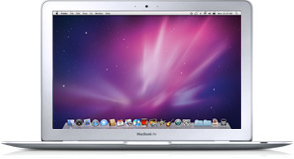
Needing to prepare a presentation for a new client this afternoon, I was working late last evening on the MacBook Air, with only PowerPoint running. All other applications were closed (to conserve memory) and even that wasn't enough. Seeing I was getting nowhere, I bit the bullet, and uploaded the PowerPoint to
Google Docs. I closed the Air and then opened up the Chromebook to work from there. Despite my high use of Google's products, I've never used Docs for presentations, and the move wasn't taken lightly. You know I'm not a heavy Docs user, or I'd probably have already told you that some time. After years and years of PowerPoint training, I'm surely much more creative with Redmond's software, even if it's not my favorite.
I haven't opened the Air since. No doubt I will, once I man up and stop being frustrated with the machine, but it's a little maddening to be obsoleted in just under two years, feeling like what I really ought to do is give Apple just over $1,500 and upgrade again to the latest and greatest Air, with an even faster CPU, more RAM, and a greater capacity Solid State Disk (SSD).
I initially got the Air in January of last year,
knowing that it would be a bridge to a more cloud-centric device, especially as the hard disk came with about 100 gigabytes less capacity than my previous model. Initially, I made all sorts of attempts to avoid putting native applications on the Air, but a Microsoft Office here, an Adobe Creative Suite there, and that plan was done for in due time. At last count, the device was about two-thirds full yesterday afternoon - not in bad shape, mind you, but a dozen or two gigs beyond what I had hoped.
When I got the CR-48 from Google as part of their field trial last December, the device seemed initially handcuffing, as I felt trapped in the browser. As the hardware improved with Google supplying new drivers, and Chrome got faster, I started taking the device everywhere outside the house, and have probably been using it the majority of the time inside the house of late, especially as the Air has slowed. Almost too conveniently, on the same day as my Air was being deflated with Lion,
the Samsung Chromebook from Google I/O arrived on my doorstep, giving me a sleek alternative to the air with real hardware polish. Within minutes, I'd moved my Google profile onto the new Chromebook and passed the CR-48 to my wife.
It was this new Chromebook on which I gave today's presentation - the same one that I haven't had to plug in since I first turned on the device this morning, and promises more than two hours' battery life remaining with about 33% capacity. I honestly couldn't tell you how much RAM it has, and I know internal storage is dinky, but the near-immediate bringup, followed by a successful preso this afternoon, has me seeing that as beautiful as Lion is, the makeup may be caked on thicker than Tammy Faye Baker. Part of my Apple fanboy inside is crying out in pain as I hope in vain that the Air can get restored to its former vibrant self, but I have to think this particular system upgrade was too much for it. It's fantastic to have an alternative arrive on the doorstep that very day. Obviously, the price (free) isn't bad either, but I wouldn't have even touched it, let alone stayed on all day, if it didn't deliver when I needed it to. My Macbook Air and I, on the other hand, are going to have a nice long talk about the future - even if it means a clean install or a data wipe, which doesn't sound very Mac-like.
Obvious Disclosures: The CR-48 was part of a free pilot program. The Samsung Chromebook was delivered free to Google I/O attendees. The Macbook Air I paid for (and got reimbursed from Paladin).
 In elementary school, we had about 4 or 5 ancient Apple II/e computers, which were used to keep kids busy if they finished tests early, or for running the LOGO program. While many of you may remember LOGO, for the younger set, it entailed a triangle shaped "Turtle" that performed the actions you told it, including going forward a certain number of spaces, rotating a certain number of degrees, and so on. If LOGO was programmed correctly, you could make all matter of designs.