
In the second half of 2007,
Jobster, a popular online recruiting and career site, was hit with news that a number of their executives, including the former CTO, Phillip Bogle, and Alan Steele, the company's fomer VP of Engineering,
had left the company to forge their own secretive startup. The pair, joined by Mark Aiken, the company's chief architect, are now ready to unveil their site, Mergelab, which offers a new approach to the increasingly competitive world of Web activity aggregation. (See:
Mergelab Company Blog: About Us)
Featuring one of the cleanest interfaces I've seen in this space (and I've seen my share),
Mergelab automatically discovers photos (from
Flickr and other sources), status updates (i.e.
Twitter), blog posts and
Amazon.com wishlists from individuals you add to your friend base. To pull down your data, it doesn't require friends to also be Mergelab users, and Mergelab makes it incredibly simple to drill down by user or by specific service, all while giving you a stream populated with friends' recent updates.
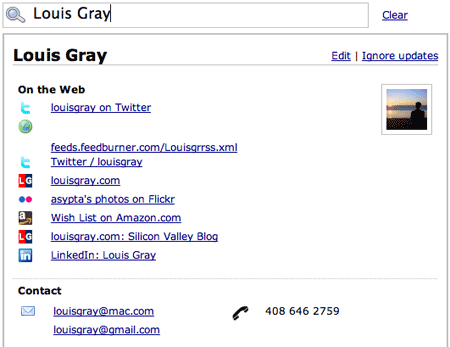
Mergelab, after getting one or more data points, gets the rest.You can add friends to your Mergelab feed one by one, by entering a name and its associated e-mail or Web site address, or you can auto-discover links and news for contacts you have in popular e-mail accounts, including GMail, Yahoo! or Hotmail, similar to other services in the market. However, unlike
Spokeo, Mergelab isn't targeted at condensing multiple social networks into one, and unlike
FriendFeed, Mergelab isn't yet focused on enabling conversation through comments within a person's updates. Also, in contrast to
LinkRiver, Mergelab is more about a person's direct activity, not so much about the items they choose to share.
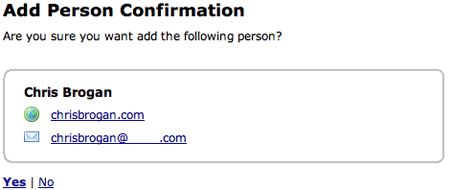
In this example, I add Chris Brogan's blog and e-mail address to start.
Or, I can import my contacts from an e-mail account.Now that we've gotten what Mergelab is
not out of the way, it's worth highlighting how easily and cleanly the service proactively retrieves updates and adds them to your personal feed. I was able to add friends like
Chris Brogan,
Jason Kaneshiro,
Steven Hodson and
Tony Hung, simply by posting their e-mail address. Mergelab went out to do the hard work, and found their blogs, Twitter accounts and associated Amazon wish lists. This is a step beyond FriendFeed's "Imaginary Friend" feature, as Mergelab made the process automatic, not requiring me to post each of their individual IDs for each service.
The resulting Mergelab news feed has some interesting characteristics relative to other sites in this space.
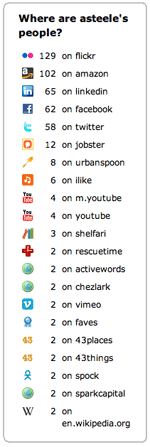
First, as best displayed on co-founder
Alan Steele's feed, you can see what type of services a user's friends most frequently use. In addition to Flickr, Twitter, blogs and Amazon, Alan's feed shows friends using LinkedIn, FaceBook, Jobster, iLike, YouTube, Shelfari and many others. Essentially, if it has a feed that's identifiable to an individual, it looks like Mergelab can pick it up.
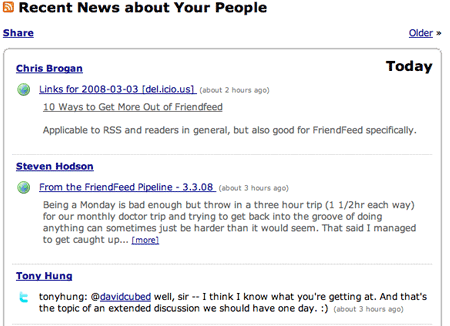
Second, if consecutive updates are from a single individual, regardless of the service, it groups them under that individual's name. For example, if I enter a blog post, and then send a note to Twitter about it, both are shown under "Louis Gray". with a thin line separating my updates from others. In contrast, most other aggregators would break the activities apart, either by specific action or service, for example saying "Louis Gray posted a blog entry." and then "Louis Gray sent a message to Twitter."
Third, and very interesting in terms of keeping visitors on the site, you can choose any blog post from your friends, and read it within the Mergelab news feed, just by clicking [more]. When done reading, just click back on the blog headline and it collapses, returning you to the feed. It's still the RSS version from your selected feed, so you can't comment directly to the original site, but it's a good feature, nonetheless. (
See the announcement here)
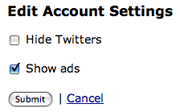
Fourth, you can choose how your feed is displayed, choosing to block Twitters from day one, or even to opt in to showing Google AdSense. But it's a little hard to figure out why one would opt in to Google ads, as they are disabled by default, unless you felt maybe you were doing Mergelab a favor in return for the service.
And fifth, Mergelab separates activity by calendar, putting an interesting real-world delimiter as you scroll through old updates, from "Today" to "Yesterday", "Sunday", etc. No other site I've seen of this nature even knows there is a clock at all aside from relative information (i.e. "11 minutes ago", "2 hours ago", etc.)
While Mergelab is just getting started, open by invitation only, it offers the opportunity to elegantly aggregate friends' updates without the noise of comments, liking and voting common with most social participation sites. It's also easy to add new subscribers from other users' feeds. If they have a friend you find interesting, all you need to do is subscribe to their news with a single click. Over time, as the service opens up, I could see myself adding my friends' friends into my feed, and being as interested in their minute by minute updates as I have been on FriendFeed, only in a quieter way.
Get your own sneak preview or request an invitation at
www.mergelab.com.
 ReadBurner burst onto the scene in January, offering the first serious attempt to harness the power of shared link blogs from Google Reader, and determine what RSS feed items were the most popular, democratically assigning equal weight to each person's share, instead of relying on proprietary algorithms, like TechMeme, Megite, BlogRunner and others do. But only two months after seeing the site jump into the public conscious, written up by major blogs, from Mashable, TechCrunch, ReadWriteWeb and Lifehacker (See: The Buzz), developer Alexander Marktl has decided to shutter the site, saying he just doesn't have the time to keep the site up and running, with real life getting in the way.
 In the world of online RSS feed readers, there are the most popular options, like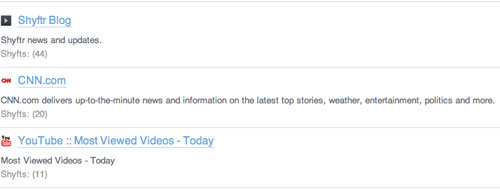
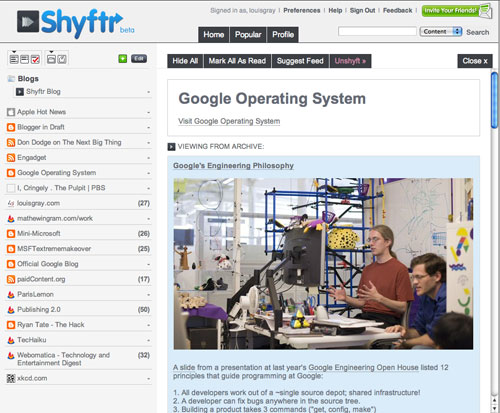
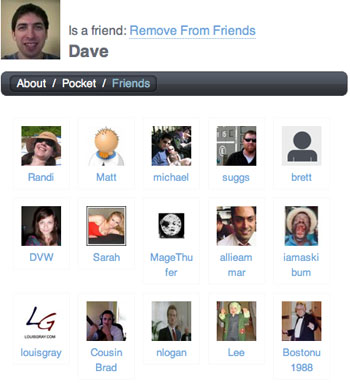 When you've added a feed, clicking on the feed name with new items displays the items in line, with all new items from a specific feed in the viewing pane, much like AssetBar or Google Reader. If others have seen an item before you, it will show you're viewing from archive, and if you make a comment, future Shyftrs will see your note, as you would theirs if you weren't first to the game. Most frequently commented items rise to the top of Shyftr's "Popular" page, and if you find somebody who often comments on sites you read, you can add them as a friend, or view their own profile to see their friends or what feeds they read.
 Guest post written by