Silicon Valley Technology Commentary & Archives · Est. 2006 3,034 Posts · 2006–2026

May 31, 2008

May 31, 2008 · 2 MIN READ · BY LOUIS GRAY

Saturday Night News Briefs: May 31, 2008

Saturday Night News Briefs: May 31, 2008

More and more often, I'm running into items I want to share, but might not be detailed enough to generate a full post. So here are a few things that caught my eye over the last few days. If it makes sense, maybe I'll make this a recurring feature.

FF To Go Adds Rooms Support

About 10 days ago, Benjamin Golub offered the first bona fide mobile FriendFeed solution, delivering FF To Go. The next day, the FriendFeed team threw him for a loop with the addition of rooms, letting users break out into smaller groups to talk about specific items. Golub wasn't all that far behind, and has now enabled support for the new rooms, which you can see both when using the mobile interface and via the Web browser.

Some good ones to try:

Elite Tech News: http://friendfeed.com/rooms/l33t
LouisGrayish: http://www.fftogo.com/room/louisgrayish/
* Not my creation... but we'll use it. Why not?
Social Media: http://www.fftogo.com/room/social-media/

Daniel Ha of Disqus Proposes A Commenter's Rights

Although I thought we'd discussed this issue to death back in April, the last two weeks have seen flare-ups around who owns a comment, whether comments should be placed on the original blog or other aggregation services, and whether a publisher has the right to delete comments for any reason. Daniel, whose service is now gaining a great deal of prominence in the tech blogging community, suggests that commenters should have the ability to edit or delete comments and retain access, even if they've been deleted from the source blog. He also recommends portability of those comments to other blogs, including their own.

The post, in its entirety, can be found here:
Disqus Blog: A Commenter's Rights

SocialMedian Undergoes Redesign

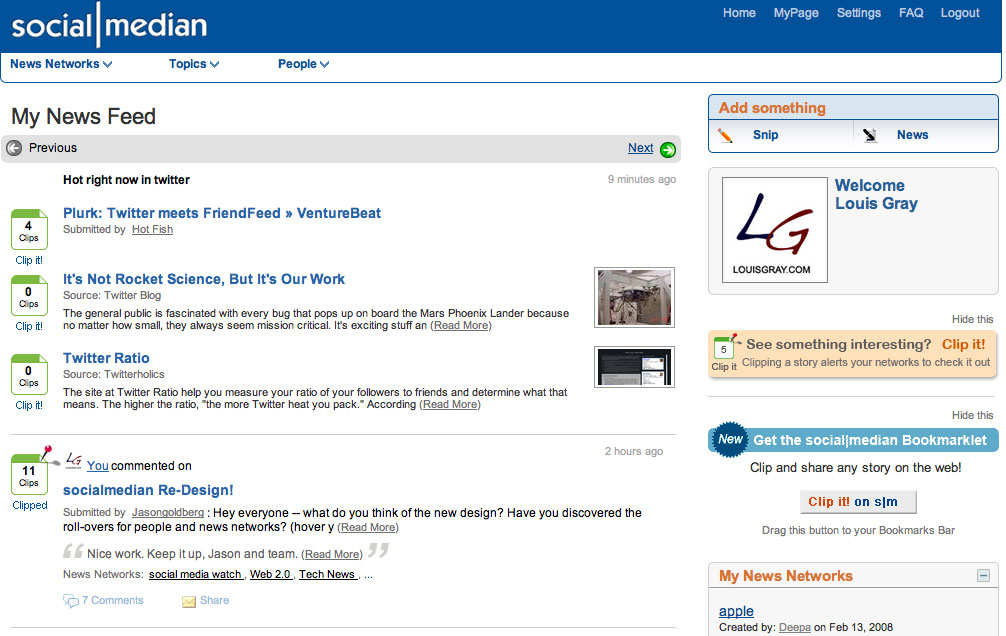
Still flying somewhat under the radar, Jason Goldberg's news-focused social media and aggregation site, SocialMedian, got a serious make-over yesterday, enabling mini-profile pop-ups for other members (as FriendFeed recently did as well), offering a site toolbar with drop-downs for news networks, topics and people, and simplified ways to both "clip" and "snip". The service continues to expand its member base and grow increasingly interesting. The updated design is very clean and useful as well.

See: socialmedian Re-Design!


Click for larger version

In those times when I'm not getting to the blog as quick as possible, feel free to check out my Google Reader Shared Items feed or watch my FriendFeed profile, where everything is flowing these days.

May 30, 2008

May 30, 2008 · 4 MIN READ · BY LOUIS GRAY

FriendFeed Friday Tips #3: Take Advantage of Advanced Search

FriendFeed Friday Tips #3: Take Advantage of Advanced Search

By popular demand, I've been asked by other FriendFeed users to highlight how I use the popular social lifestreaming site. So far the series has covered the "Hide" function, and the bookmarklet. Today, I thought I'd take a look at how to maximize the site's advanced search capabilities.

Considering almost ninety percent of the FriendFeed team has a Google pedigree, it's no surprise they made aspects most associated with Google, such as scalability and simplicity a priority. Also a big thing at Google? Search. FriendFeed's search function indexes in real-time, and can be diced every which way, including by service.

1. Where is Basic Search and What Does It Do?

Every FriendFeed page features the default search box in the top right corner of the page. By default, FriendFeed's search button searches through your activity and that of your friends. Searching a keyword will look not only at shared items, but also their comments, nicknames, and user names.

The upside of this activity is that you can find results extremely fast. But one downside is that if you try to search for any time you might be mentioned (called ego-searching), you still have to wade through all your own activity. So far, FriendFeed doesn't let you exclude a specific user's items, including yours.

2. Where is Advanced Search?

FriendFeed's advanced search is only available from the search results page itself, but you can find it at http://friendfeed.com/search/advanced.
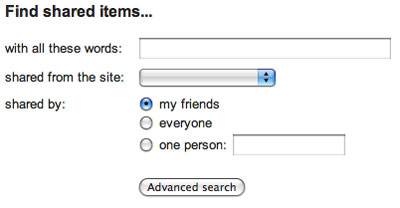

The advanced search option, waiting for queries.

3. Advanced Search > By Service

The advanced search capability essentially lets you limit your search results, either by service, by person, or by group. For example, you can limit search results to be from Del.icio.us bookmarks, or from within Disqus comments, by using the pull-down option. Again, by default, you are searching your own friends, but can branch out to choose a specific user or show everyone.

4. Advanced Search > By User

Searching by user is especially good if you want to see everything on a specific topic that one user has done. Want to see how often Drew Olanoff mentions ReadBurner nowadays? Search for ReadBurner and where it says "one person", enter his nickname, drewolanoff. FriendFeed has amusingly given the nickname "scobleizer" as the example, as you can see in the above screenshot, but any name will do.
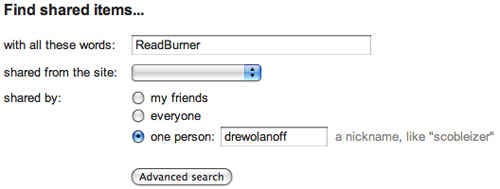

Searching "drewolanoff" for ReadBurner mentions.
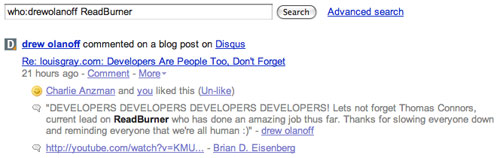


"drewolanoff"'s ReadBurner content is displayed.

One downside to this search is that it can also returns comments from friends that mention the search term on their shared items, even if the specific person you're searching on didn't say it.

5. Advanced Search > By User > By Service

Now, combining #3 and #4, you can search a specific service by user for a keyword. Going back to "drewolanoff" and ReadBurner, I can select Twitter as a service, and only show the times that Drew mentioned ReadBurner on Twitter.
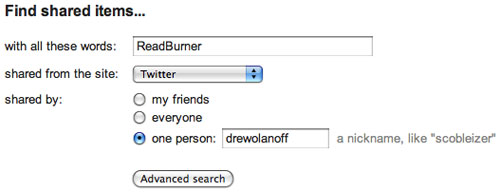

Searching "drewolanoff"'s Twitter entries for ReadBurner mentions.
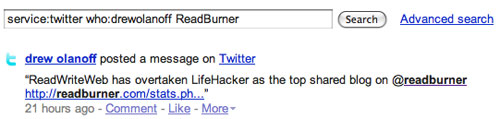


"drewolanoff"'s Tweets on ReadBurner.

6. Some Fun Ways to Use Advanced Search

The most fun with advanced search is probably when using it to search FriendFeed's public feed, or "everyone". While FriendFeed is well known for its noise, you can cut through the noise of even the public feed with advanced search.

Want to find out how many other electronica fans like the music of Underworld? Search for the term "Underworld", select Last.fm or Pandora as services, make sure the "Everyone" option is checked, and hit search.
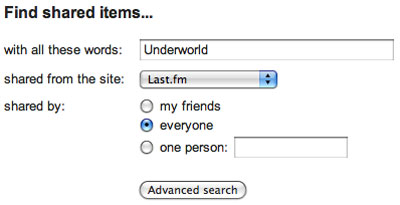

Looking for future concert buds...
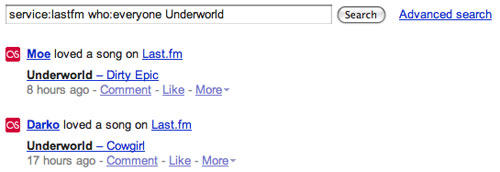


Wow! Fellow Underworld listeners!

Want to see how many people are sharing YouTube videos of Bill O'Reilly? Search for Bill O'Reilly, select YouTube as a service, and again, choose everyone.
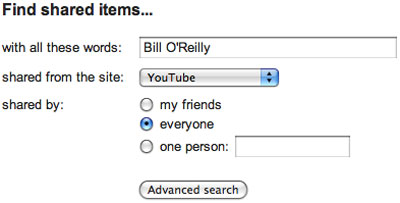

A popular topic on YouTube these days...
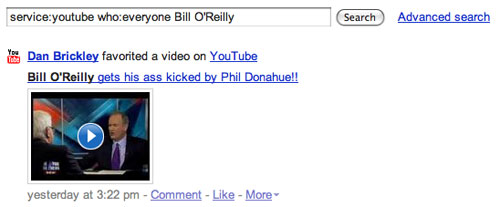


Once a clown, always a clown.

Like pictures of sunsets? Search for sunset on Flickr or SmugMug.
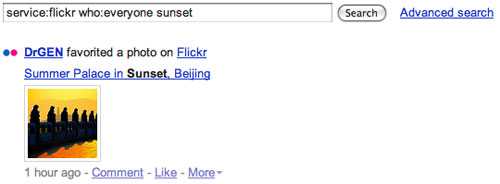

The world's best sunsets, one query away.

For many people just getting started with FriendFeed, using the advanced search tool could be a fast way to find peers.

7. Using Boolean Searches With Advanced Search

Given our expectations that all searches act like Google searches, I expected boolean searches to work. Searching for "Cat OR Dog" highlighted comments and shares with cats or dogs, while searching for "Cat AND Dog" only showed items where both appeared in the thread. Oddly, the words "and" and "or" were bolded in the results, which Google would ignore.

Searching for text in quotes also limits results to the specific phrase. Searching for "Monkey's uncle" with quotes would get one set of results, while searching for "Monkey's uncle" without quotes also returns a tweet, "At Uncle Billy's with monkey woman". Not very nice. :-)

Summary

Although FriendFeed's user base is still well behind that of the more widely-known services, the team has already gained a good reputation for indexing data quickly, and the search function is sharp, especially when you consider that the database has to index not only the many millions of updates across three dozen services, but also all the comments being left, in real time. The advanced search functionality can let you hone in on just what you're looking for, and cut through the noise.

May 29, 2008

May 29, 2008 · 3 MIN READ · BY LOUIS GRAY

Developers Are People Too, Don't Forget

Developers Are People Too, Don't Forget

Sometimes, in the race to declare one service better than another, to be among the first to say one product won't scale, or that one product will be killed or eclipsed by another, the rush of feeling declarative overlooks the fact that underneath every single one of these services we interact with each day lies people. In almost every case, especially when it comes to the nascent Web 2.0 market, the services are understaffed or sole-sourced by well-meaning developers with little more than hope, an idea, and reams of code.

One thing I have tried to do when writing about the many services I've grown to like or otherwise launch here is to mention the names behind the services. I will let you know that it's been Benjamin Golub behind FFToGo, Tweet2Tweet and RSSMeme. It was Alexander Marktl with ReadBurner, Caleb Elston with Toluu, Mario Romero with Feedheads, Yuvi Panda with TheStatBot and Dave Stanley and Matt Shaulis teaming up on Shyftr.

I say these names not because they'll eclipse their "brands", but because in almost all cases, I've forged a relationship with these entrepreneurs, even if it's just been e-mail, phone calls, late-night Google Chats, or Facebook messages. And while it's easy to crow that Twitter's down (again) or say one service is going the way of the dodo, you can be sure that the best, most aware, entrepreneurs are watching what you say. They've got their Google Searches, Technorati queries and Summize feeds set to alert them when their companies are mentioned, and the last thing they want to see is you getting a rush from being the first to say "Deadpool", a term popularized by tech blog giant TechCrunch, who has made something of a side business declaring startups dust.

On Tuesday, in a FriendFeed comment thread, I was reminded of this by a somewhat snarky note by Robert Seidman, who in response to an amusing piece that highlighted both me and Robert Scoble as finding new services in our own way, said a few sites I've covered here might as well close up shop now.
    "The sad thing is, other than FriendFeed almost ALL of the services Louis touts will 'sleep with the fishes'. You could call deadpool on stuff like Social Median and Toluu right now. Functionality will be absorbed into other Google products."
    -- Robert Seidman (Link)
This bothered me, not because he was suggesting I have a tendency to pick losers, but instead, because the eagerness to call "deadpool" didn't take into account the people behind the service, nor their goals. Not every Web service is expected to grow into a real company, and be sold off or enter the public markets through IPO. Many of these are hobbies. Others should be seen with the same light as shareware, in that most content is for free, and if they make a few bucks, that's just fine. Sometimes, a Web service will launch and help a developer pad the resume, or use it as a springboard to the next job. And whether it's one person behind a product or a hundred, there's no value in prematurely suggesting they wave the white flag.

Beyond this issue, I was also surprised to see the occasional visitor to my blog from searches done on Techmeme for its creator, Gabe Rivera. (See the search results) After a few of these searches had hit my referral log, I thought I'd check what was going on. Interestingly, despite the fact Techmeme is spoken of constantly, and the site comes up often in blogging circles, the last three stories to reach Techmeme that mentioned Gabe Rivera were mine, including a piece from each month in March, April and May. This tells me that people, when writing about Techmeme, don't mention Gabe, and have divorced the service from the individual.

As I wrote in April, when I asked "Does Negativity Deliver Credibility? If So, That's Nuts.", I have a tendency to shun negativity and be excited about new services. In parallel, I am supporting the developers who are taking a risk by shipping. I am supporting the people behind the services who are looking to help us consume more information, helping us build new social networks, or improve our communications. When I write about a service, I'll continue to do what I can to remember the developers and hopefully, let you get a glimpse into their world as well.
May 29, 2008 · 2 MIN READ · BY LOUIS GRAY

TweetSmart Offers Real-Time Twitter-Powered Group Link Blog

TweetSmart Offers Real-Time Twitter-Powered Group Link Blog

When Twitter users aren't sending 140-character updates for miniature conversations, or when they're not complaining about the service's lack of uptime, very often they're sharing links, be it items they've found interesting, or hyping their own blog posts.

A new service called TweetSmart is looking to harness these links, not in aggregate, in an attempt to rank popular items as ReadBurner, RSSMeme, AlphaTwitter, Feedheads and LinkRiver do, but instead, to act as a real-time link blog aimed to get an instant snapshot of the best content the Web has to offer.

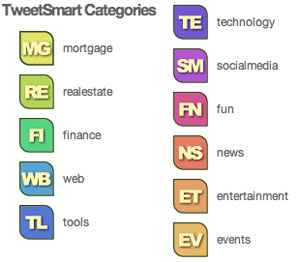
TweetSmart is essentially an extension of Twitter's direct message service, or DMs, with some interesting wrinkles thrown in. TweetSmart users are encouraged to send links to the TweetSmart Twitter account, and to use one of 11 categories provided by the site, ranging from mortgage and real estate to Web, technology and social media. Depending on the category you choose, your link will be properly tagged, featuring the icon of the category you selected.
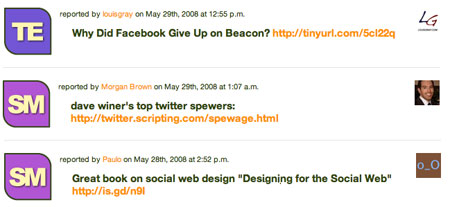
To use the service, all you need to do is follow the user "twsm" via Twitter, and alert the TweetSmart crew you want to participate. If they follow you back, you're given access to the site.


The TweetSmart Link Blog in Action

To send links to the shared TweetSmart feed, use the format:
    "d twsm category type your message here"
If I were to share a link from ReadWriteWeb, I might type into my Twitter box:
So long as I stay in the 140-character window, and appropriately select one of the TweetSmart categories, my item will be included.

Unlike my Google Reader shared items link blog, which only displays those items I've personally liked, TweetSmart aggregates all links pushed through, in chronological order, from newest to oldest. Unsurprisingly, so far, the site has been overweighted with Social Media links, but that can change depending on the active users, of course.

There are three developers behind TweetSmart (See: About Us - TweetSmart), including Morgan Brown, Paulo and Steve. As with other social link sharing sites, I can see this being valuable for smaller communities, and less valuable as the service gets overcrowded. If TweetSmart wants to graduate from interesting novelty to actual service, it'd be best to create something of a friends feature, where you can follow specific users, or filters to only show specific categories. Without having their product roadmap in front of me, I can't tell you what they will or won't do, but it looks clear to me that those would be some first steps.

To check out TweetSmart, head to www.tweetsmart.com, and don't forget to add "twsm" on Twitter. The team's official blog can be found here.