 FriendFeed is on a roll lately, completely outpacing Twitter and other services in updates and access to your entire social graph. Just the other day I spoke about Enjit, a service which enables you to receive the entire FriendFeed firehose of data over your IM client. And now, as of today, FriendFeed has made an announcement of their own stating they will be providing their own instant messaging client to the service.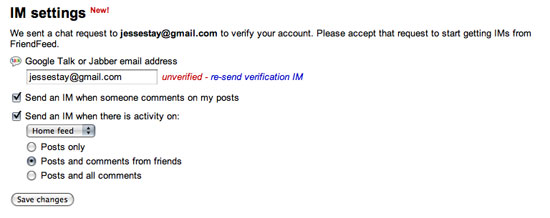
Add IM capability to your FriendFeed in Account Settings
 To enable the service, go into your FriendFeed account settings, and click the button to enable your IM notifications. If you have a Gmail address or other Jabber client, your address will have already been populated into the address bar. Otherwise, fill it out. After clicking the enable button you'll receive a message via IM asking to add the FriendFeed user to your IM client, and then asking you to confirm by clicking on a link. Once you do that, you're set up!
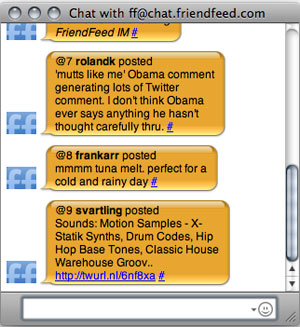
From the account settings you can choose to enable either all posts, all posts and comments from your friends, or all posts and all comments on the site - FriendFeed is truly opening up their entire fire-hose to all with this update! Watching my IM client, (you can add me at [email protected]), I am seeing updates almost every second, if not more.
In addition to receiving posts and comments, you can also post back. This includes following and posting to rooms! To post messages back, FriendFeed has provided the following commands for their interface. From their Web site:
FriendFeed assigns a number to each entry when it is sent to you. You can use this number to comment on or like the entry. See the commands below for some examples.
@me messageFriendFeed has just made their move in this microblogging and aggregation game of chess. Neither Facebook nor Twitter has the slew of aggregation and microblogging features and openness FriendFeed provides, so it will be interesting to see how this progresses. Dustin Sallings and Ken Sheppardson are rumored to be working on a Track IM solution to FriendFeed, so it will be interesting as things take shape if FriendFeed can beat Twitter at its own game.
Post a new message to your feed
@me
List the entries in your feed
@roomname message
Post a new message to the room with nickname roomname
@roomname
List the entries in the room with nickname roomname
@N comment
Comment on entry N. When you receive entry and comment notifications via IM, they are all prefixed with @N. You can reply to them by prefixing your comment with the same @N.
@N
Show entry N. Useful when you get a comment on @N and you want to see the original post.
like N
Like entry N
@nickname
List the entries in the the given user's feed
pause
Pause IM notifications
resume
Resume IM notifications
list
List the most recent entries you have received via IM
help
Print the list of IM commands
Read more by Jesse Stay at Stay N' Alive.
 In an assuring statement in the Twitter API Developers Group, Alex Payne, the API lead at
  I often get comments from people asking just how much time I spend on social networks, writing blog posts, and reading RSS feeds. Most of the time, that answer is hard to get, as I spend a few minutes throughout the day making sure I miss as little as possible, and try to limit the time it takes to write most posts to about 20 minutes or so. But there are software solutions out there to help track all my application and Web service activity, which, in theory, could give away exactly how much time I am

 I am an information glutton. I want to know all the news, and get it as it happens, preferably before everyone else. By the time it's discussed in the afternoon, I want to already have seen it, dissected it and reacted to it. It's this demand for a real-time news firehose that has me turning to