When it comes to just starting out with social media, there is no magic bullet for success. Nothing happens overnight, and if it does, it's usually short-lived. Like anything else is in life, it requires consistency, patience and perseverance. Last week, I expanded on the importance of how sharing and self promotion is always a two-way street. This post touches upon 10 general tips to help beginners generate inbound links and sustained long term traffic.
1) Ask for link exchanges:
It never hurts to ask first. This does not always work, but what do you have to lose? Most people are still courteous and do answer emails. Send an e-mail with a short personalized note asking for a link exchange. If you are just starting out, it's good practice to link to others first, wait a little while, and then ask for reciprocation. Look at the site first, if they do not have a blogroll or links to other blogs, then don't waste your time. If their not linking out to anyone else, then they probably wont link out to you, much less respond to your email.
2) Quality content is key:
You have heard this one a million times before, but there is a reason why. Your content defines you and the message you are trying to convey. Quality gets noticed above anything else. Create newsworthy, thoughtful, intelligent content that has immediate usefulness. Give people a reason to share and bookmark your site. Give people a reason to keep coming back for more. If your blog is informative, original or interesting, people will keep coming back. If your content is recycled or of poor quality, your fighting a downhill battle.
3) Separate personal from professional:
Maintaining a balance is very important. There is nothing wrong with straying off course every once in a while. If posts of a personal nature are imperative to you, and must be publicly published with some frequency, create a new blog for it. The occasional blog postings of baby pictures or a family outing is nice, they expose the human side of you, which everyone reading can in some way, shape or form, relate to. The same goes for bloggers who must auto-import bookmarks and tweets into their blogs, put it on a separate page, or minimize it to your sidebar.
4) Be a two-way blogger:
There are two types of bloggers. One way bloggers and two way bloggers. One way bloggers are basically just talking to their readers. While there is nothing wrong with that, the more experienced you get, the more you move up the food chain. By nature, this will lead to less interaction with readers. This is especially true when you are just starting out. It's crucial that you be a two way blogger. Two way bloggers engage with their readership, rather than one way bloggers who just talk to their readers. This means if people leave comments, take the time to respond. Go a step further, if the readers who leave comments have blogs, visit them, find a topic worthy post and leave a thoughtful comment in return. Encourage your readers to follow you on Twitter, or FriendFeed, and be sure to reciprocate the following. See what we are doing here? We are taking an interest in the reader.
5) Encourage comments:
Interaction with your readers, by encouraging commenting, is very important if you are seeking sustained long term repeat traffic. Ask questions in your post. Ask the readers for additional tips or thoughts on the story subject. Do not require registration. Make commenting easy and not a chore. Shine the spotlight on your blog's top commentators. Most third party commenting applications such as Disqus offer sidebar widgets that will allow you to do this. There are Wordpress plugins available as well.
6) Empower your readers with the tools for promotion:
Let your readers promote your content by bookmarking and sharing your content. Add to your blog and postings promotional tools such as social sharing and bookmark services. I would recommend addthis.com, but there are plenty to choose from. Lets face it, people tend to be lazy, why not make it easier for them. Also make sure to clearly place RSS icons and text links on your blog. This makes it easy and also encourages people to subscribe to your blog.
7) Don't forget SEO, at least the basics:
By default if you are blogging, you are somewhat ahead of the game in terms of optimizing your content for search engines. But regardless of what type of site you run, paying attention to the basics of SEO will generate more organic long term search engine traffic. You must ensure that your page titles, headlines, url formatting, and content, all contain the blog topic relevant keywords or phrases. That's the tip of the iceberg. I wrote a more detailed post on 15 tips for improving search engine visibility, which is a good starting point.
8) Establish and build power passports:
Just as you would need to establish your credentials in the form of a passport when flying to a foreign country, the same is true with the territories we embark on in social media. Passports are the social profiles that we create on other social networking sites and platforms. Other than a blog for the most part, these are our online credentials. Your Facebook, LinkedIn, Twitter and Google profile are all passports. More importantly, they are all sources that generate search engine traffic. The sites mentioned above are all authoritative. As a result, links established on those services rank higher in the search results. Consistency is the name of the game. All of your online profiles should share the same information. Make sure to use the same usernames. If possible, use the same profile pictures, logos, and contact info. Always link back to your blog, and your other passports. Maintain a recognizable, uniform presence across all social networks, professional and personal.
9) Develop relationships with other bloggers:
Successful social media marketing/branding/self promotion or whatever you would like to call it, is always a two way street, never a one way. It's actually about giving more then you get. When first starting out, it's vital that you develop friends, a following and a network. This will take weeks to months, and that's okay. As with life, offline relationships take time to form, grow and blossom, the same is true for online. Just because you decided to follow me on Twitter, or FriendFeed, does not mean we are instant friends. You have taken the first step, which is good because it shows that you have expressed interest in me or my content. The next step is staying on the blogger's radar. Most likely some of the bloggers you decided to follow will already have an established and large active following. With that being said, sometimes you might need to stand out from the crowd to get noticed. The easiest way of doing this is by participating in the blogger's circle. Leave thoughtful comments on their posts, retweet their content, and share their content. Fill the vacant slots on your blogrolls with links to their blogs. Lastly, show them some real linklove. Write a blog post and positively link to them. Your network can make you or break you in some respect. Associate with the wrong people, and risk damaging your brand, and wasting your time in the process. Associate with like minded thinkers and doers, and propel yourself forward, it's really that simple, I promise you. The name of the game is time. If you are willing to contribute and spare a lot of it, it will payoff in the end. These means do justify their ends.
10) Use your treasure chest wisely:
Learning about where your visitors come from and how they interact with your site is just as important as anything else. It starts with a good analytics package. The treasure, your traffic data, lies inside. Two points I will touch upon with this is the ability to track search engine traffic by keyword, and the ability to find anyone and everyone who has a link to your site. Establish relationships/linkbacks with the sites linking to you. You can also gauge, track and readjust any SEO marketing efforts. The driving point here is you need direct access to url referral tracking. Use widgets such as MyBlogLog to help build community on your site. However, it also serves another purpose, which is that it tracks and reports incoming urls to your site (how people got there) and what they clicked and viewed on your site. Be as informed about your traffic as you possibly can. Never be too afraid to step out of your comfort zone and experiment with new technologies.
Image by laffy4k under Creative Commons license.
Read more by Mike Fruchter at MichaelFruchter.com.
 On April 7th, Jesse Spaulding launched a new site called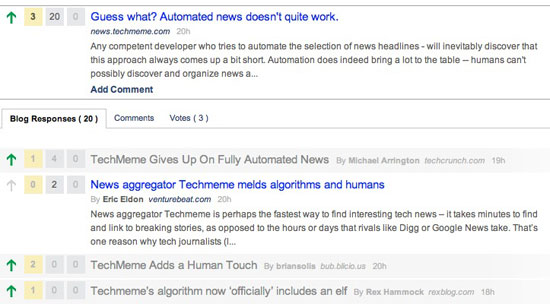

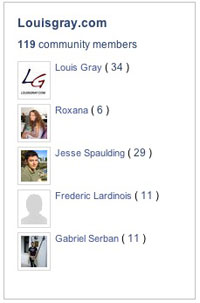 As Jesse wrote me in an e-mail last week, "The fundamental nature of having communities built around individual blogs is unchanged." But it is definitely operating at a higher level. BlogRize is now following about 10,000 different blogs, and tracks links between each blog, which factors into posts' ranking algorithm. Much like
 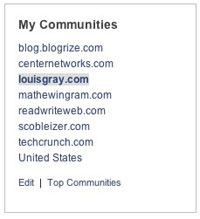 BlogRize now describes itself as bringing "today's most interesting web content by harnessing the collective intelligence of communities of people who enjoy reading the same blogs." It's that collective intelligence that has led to the popularity of sites like Techmeme, Digg, ReadBurner and others, but also offers visitors the option to hone in on those blog communities they are part of.
 Despite