Silicon Valley Technology Commentary & Archives · Est. 2006 3,032 Posts · 2006–2026

May 27, 2009

May 27, 2009 · 1 MIN READ · BY LOUIS GRAY

PeopleBrowsr Opens Up In Public Beta, Unifying Social Activity

PeopleBrowsr Opens Up In Public Beta, Unifying Social Activity

In December of last year, we highlighted the introduction of PeopleBrowsr, a Web-based utility to help you follow all your friends across their various social networks in one place, ranging from LinkedIn to YouTube, FriendFeed and Twitter. The product, while very robust in terms of its offerings, also seemed complex, with usability tradeoffs seemingly made for feature introductions. With several months of incubation, the site has now opened up in public beta, hoping to supplant TweetDeck and other multi-column tools, like Seesmic Desktop.

The service, which you can find at www.peoplebrowsr.com, bills itself as a "one-stop solution for managing online activity," and there's no doubt that's exactly what it does. You can add what are called "stacks" or columns from 14 different networks, and have the option to push updates to each from the single browser window.
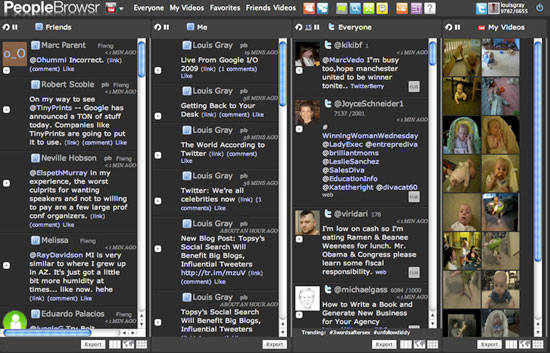

Click Here for A Larger Image of PeopleBrowsr In Action

PeopleBrowsr's goal, like other aggregation services, is to help you tame the content stream and avoid missing important posts. The service also hopes to make itself the center for conversations by letting you manage multiple user names, and follow anonymously, without the public friending that takes place on practically every network.

As we also have discussed with our recent posts on search, finding your data can be even more important than seeing it as it appears, and PeopleBrowsr has approached that as well, by offering search filtering, and the saving of searches for future use.

Like TweetDeck, the temptation to keep adding "stacks" or columns is tempting. I can follow all friends' updates on FriendFeed and Twitter with PeopleBrowsr, while watching out for updates on LinkedIn, YouTube or even RSS. Really, the only limit to the product now is the width of your screen.

May 27, 2009 · 3 MIN READ · BY LOUIS GRAY

Topsy's Social Search Will Benefit Big Blogs, Influential Tweeters

Topsy's Social Search Will Benefit Big Blogs, Influential Tweeters

Combining the world of search and the world of microblogging, including Twitter, is a popular thing to do these days. With Twitter Search having its hiccups, entrants like Twazzup, OneRiot and TweetMeme have all joined the game of trying to find the best content on Twitter, or finding the most influential users. In the last few days, Topsy, which bills itself as a "new kind of search engine" powered by the social Web, has gotten a good amount of visibility, especially due in part to an aggressive recommendation from Michael Arrington at TechCrunch - who is a big fan.
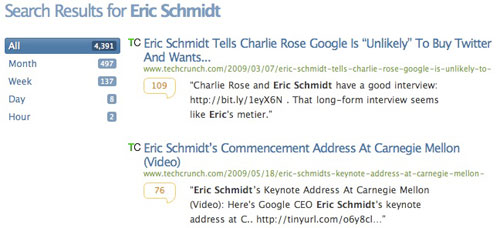
Topsy is interesting in that rather than finding the best result due to external hyperlinks or having "one right answer", as Google and most other search engines do, Topsy instead relies largely on the number of times a URL is shared (or tweeted) around that specific keyword.

For example, while searching Apple on Google sends you to Apple.com, Searching for Apple on Topsy instead sends you to watch Apple's TV Ads for the "Get a Mac" campaign. You can guess that when the new ads debut, they are frequently sent around Twitter, pushing that link to #1.

Similarly, Topsy is influenced by recency, which explains why a similar search for Microsoft has articles on their Bing search product competing with Google rather than the vanilla Microsoft homepage you would get with Google.

But, as with Google, not all things are equal in the world of microblogging. If you have an account with hundreds of thousands of followers, thanks to a position on the site's Suggested Users List, you will no doubt have much more influence on how many times items are retweeted, and therefore, a much higher impact on Topsy. That means then that accounts like TechCrunch and Mashable, who are in the SUL, are highly featured, and other competitors, like VentureBeat and ReadWriteWeb, do not fare as well.

The impact of a big account can be seen both on individuals and topics.

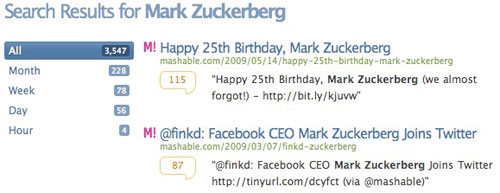
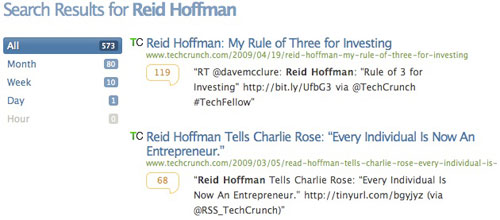
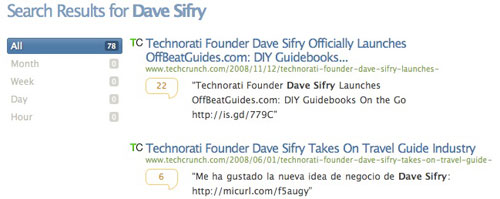
Stories on TechCrunch.com are #1 on Topsy when searching for individuals like Eric Schmidt, Dave Sifry and Reid Hoffman, each a leader in tech, covered by the network. In parallel, Mashable holds the #1 overall position for individuals including Mark Zuckerberg., while ReadWriteWeb finishes #1 for Paul Buchheit.


Top Topsy Results for Eric Schmidt


Top Topsy Results for Mark Zuckerberg


Top Topsy Results for Reid Hoffman


Top Topsy Results for Dave Sifry

Essentially, Topsy is the delivery of "authority-based search" that Loic Le Meur was asking for at the end of 2008, but done so in a way that doesn't explicitly say so.


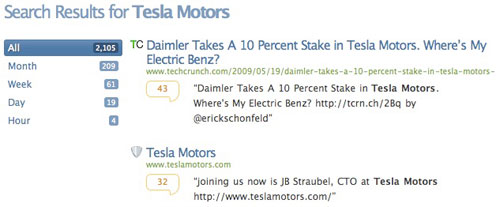
Top Topsy Results for Tesla Motors

On topics, you can see TechCrunch holds the top position on Topsy for Tesla Motors, as well as the #1 position for LinkedIn, #2 for Socialmedian and Google News as well as #3 for FriendFeed, with Mashable finishing #4 on that search. In each case the coverage of the company trumps the company's site or official comments.


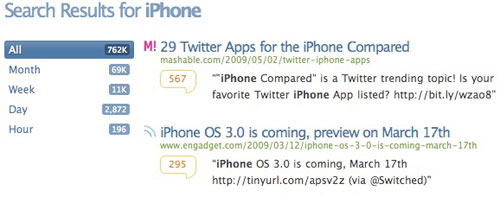
Top Topsy Results for Apple's iPhone

In turn, Mashable holds the #1 Topsy result for iPhone, and the #3 spot for MySpace.

That's not to say there is anything inherently "wrong" with these results, but they are definitely different, and if Topsy should take off, the influence of larger blog networks and the Suggested User List on Twitter will expand further. Should search results lead you to the one true answer that delivers you a bland corporate page, or should they instead lead you to social news impacted by a large community?

May 26, 2009

May 26, 2009 · 2 MIN READ · BY LOUIS GRAY

Qajack Presents Fun Videocentric Social Q&A Service

Qajack Presents Fun Videocentric Social Q&A Service

Advice and answer sites like Yahoo! Answers, and the long-since defunct pioneers such as ExpertCity and EXP.com have served the Web by providing a hub to ask challenging questions and getting answers from the registered community. But they haven't really found a great way to make the process social, with friends you know. Trying to capture that element, and splashing on the fun requirement of video, as well as credits on the service, a new product called Qajack looks like a lot of fun - and might even be useful.

Video plays a crucial role at Qajack. Not only do the questions get presented using your webcam, but so do the answers!


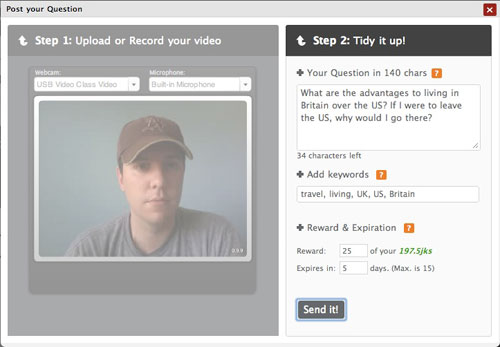
I Post a New Video Question on Qajack

If you have a question you want answered, post where it says, "What do you want to know?" and hit return. Once you've posted your question, you make a short video of less than a minute, summarize it in 140 characters or less, and add tags.

Since you want good answers, and not just any answer, you can post a "prize" of JK dollars to be won by the answer that's most appropriate. And it even costs a fraction of those dollars to answer a question, so you won't get any junk.

For example, I asked: "What are the advantages to living in Britain over the US? If I were to leave the US, why would I go there?"


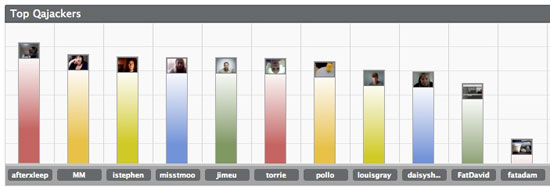
Top Qajackers (as of today's standings)

You can see the first response from two of the site's three cofounders below it. Since I am offering 25 JK$, it cost him 6.25 JK$ to post his response. If he wins? Good deal, a 4 to 1 return. But if I get 5 responses, I'll actually have made a profit off my question. That in itself makes it fun, and of course, there is even a leaderboard on the site for what it calls "Top Qajackers".


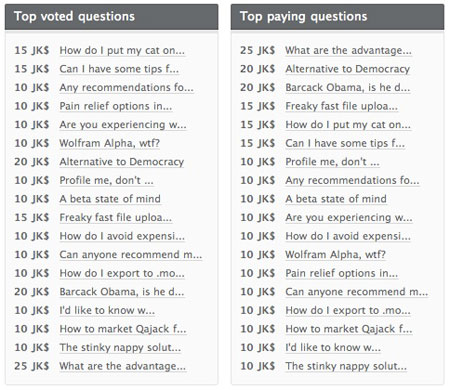
Top Questions on Qajack

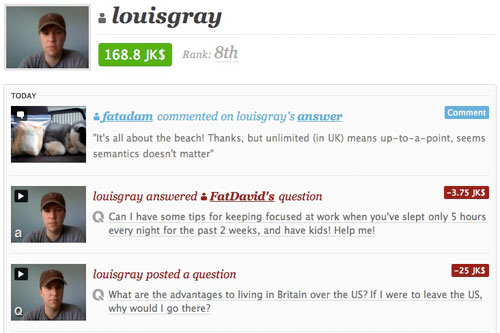
Qajack is very, very new, and only has 11 total users (myself included), but it has already seen comments on politics, technology, and even advice for what to do if you're only getting five hours of sleep a night, and need to focus on work. (I dared to answer that one)


My Updated Activity On Qajack

As always, you can find me at my ID of "louisgray". As cofounder Adam Martin said, "If Twitter is about brevity and inanity, Qajack is about authenticity and rich relevance." Looking forward to seeing you answer some of my questions, and don't you worry about how you look on video. I promise not to wear makeup.
May 26, 2009 · 2 MIN READ · BY LOUIS GRAY

MicroBlink Releases Feedstats.info for FriendFeed Stat Fanatics

MicroBlink Releases Feedstats.info for FriendFeed Stat Fanatics

In technology, if you can measure an activity and compare it with that of other users, it's likely somebody is working on a service to crunch the numbers. Twitter has TweetStats and following counts. FeedBurner shows RSS subscribers. LinkedIn displays the number of connections. And FriendFeed displays following counts, as well as likes and comments activity, on your profile. But the service, in its latest upgrade, removed the ability to analyze your own feed and see which friends were most active on your thread. Into that void walks a new service from the team at Microblink, called Feedstats.info.
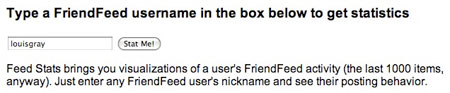
Feedstats.info essentially provides the same information that previously was available to all FriendFeed users, but not just for your own account - opening up the ability to analyze anybody's activity, so long as you know their user name.


Entering the ID into Feedstats.info


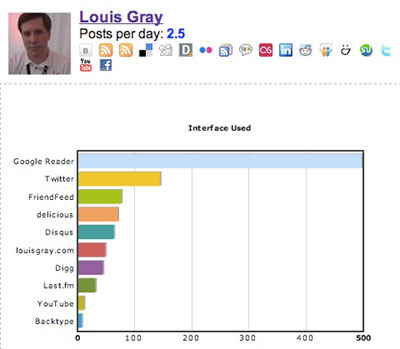
The data says I use Google Reader, Twitter and FriendFeed most often.

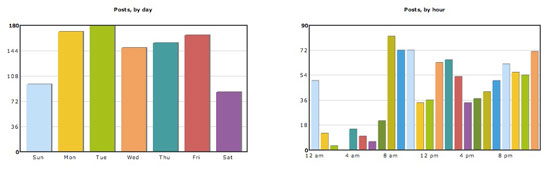
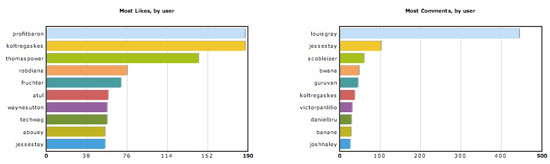
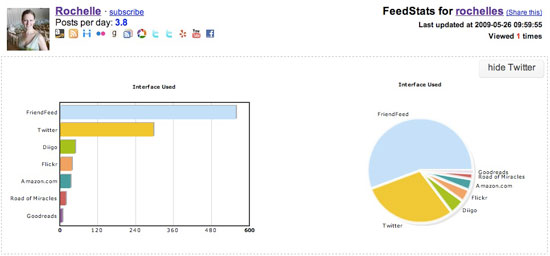
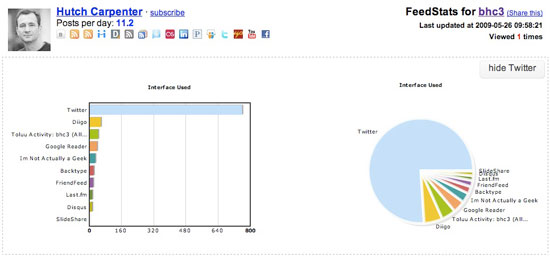
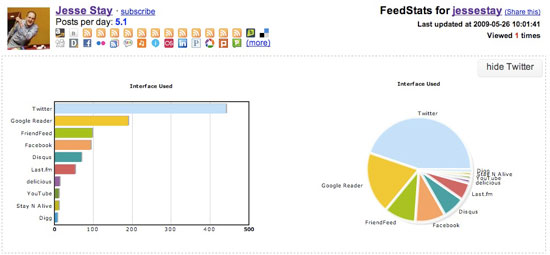
If you enter a FriendFeed user's ID into Feedstats.info, you can see how often they post per day (in the last 1,000 items), what services contributed to that feed (both in bar chart and pie chart form). You can see what days and what times of day the user most frequently uses FriendFeed, and also, who provides the most likes and comments on their items.


FeedStats Shows I Use FriendFeed Least On Weekends, and from 1 to 7 a.m.


FeedStats Also Shows Who Has Activity On My Items

Using this service, you can see which users log in to FriendFeed at specific intervals during the day, and those who are pretty much on the service around the clock, stopping only to sleep (I assume). You can also, if you check enough accounts, get a good idea as to who the most prolific people are in terms of "liking" activity, especially if they lead many different accounts.


FeedStats Takes A Look at Rochelle


Hutch Carpenter Under the Microscope

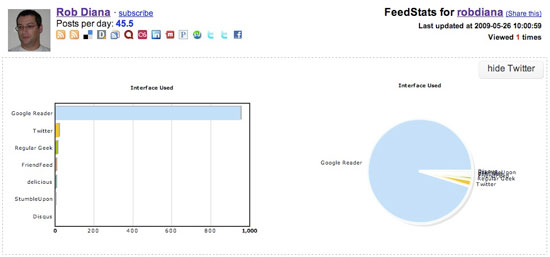
As with most stat sites, it's easy to start playing with the charts, and equally as easy to ask, "what's the point?" At what point does knowing the data is there start to impact user behavior? Should Rob Diana stop sharing so frequently on Google Reader if he finds out that it's nearly 90 percent of his feed? Should I be using Twitter more or FriendFeed less? Or the other way around?


Rob Diana: Google Reader Expert


Jesse Stay Uses Google Reader, Twitter and FriendFeed.

One of the assumed corollaries offered by Feedstats.info is a guess that those who like your items have a high compatibility with you, making them most "like" you. But what I found is that there is a small subset of users with a tremendous number of likes and comments, far outstripping mine, and they may lead my account as well as others, making our correlation a false one. But other than that, it's still an interesting set of data to play with. You can sign in with your FriendFeed API key, and can check any account, as I have.