 In one of my "couldn't be more wrong" predictions for the world of tech in 2008, I predicted that Twitter would move away from just offering text updates on its microblogging site, and would instead expand to possibly let users add pictures or even video, giving a better answer to "what are you doing?". Instead 2008 has been more about the site's native growth, the acquisition of Summize, and just keeping the service up. Luckily, third party developers are finding new ways to leverage the site. Among them is a new bookmarklet-based site called BigTweet, that lets you share Web pages you find around the Internet and send them to your Twitter account. BigTweet even tries to double down on Twitter by letting you send upwards of 280 characters, should you want to. (Updates over 140 characters are broken into separate Tweets)
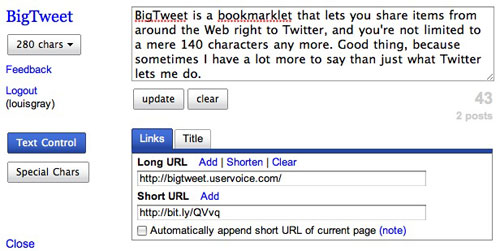
Sending a tweet from BigTweet's bookmarklet, to 280 characters
The concept of a bookmarklet is something that has grown increasingly familiar to users of various social networks. I've got a folder full of them that lets me add items to social networks like socialmedian, Twine and FriendFeed, or other more specific items, like those that let me add bookmarks to Delicious, and RSS feeds to Toluu or Google Reader.
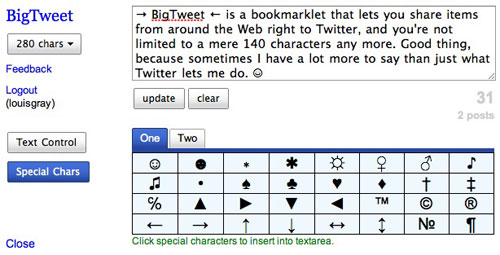
The same tweet, with some symbols added in for emphasis.
BigTweet's bookmarklet enables you to share any Web page you are browsing and send it to your Twitter account. The full URL is truncated with the bit.ly URL shortening service (see their blog for an update), and prepopulates the title of the page with that on the site you are visiting. BigTweet lets you add a description of the URL you are sharing, all the way to 280 characters if you wish, counting down to your limit, and even add special characters, from smiley face emoticons to arrows, and other symbols.
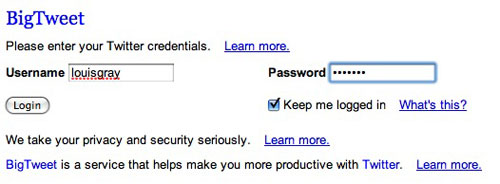
Thanks to Twitter Still Needing OAuth, My User/Password Combo Go Here.
Like many, many other services that leverage the Twitter API, BigTweet requires you to enter your user name and password to get registered. The author, Scott Carter, promises he won't misuse your data, which has largely gone unquestioned by every other Twitter 3rd party service, with the exception of Twitterank a few weeks ago.
Sharing items on Twitter is something many are looking to do, in addition to using the site to post their location (from BrightKite), their new blog posts (from Twitterfeed), or just about anything else these days. BigTweet's bookmarklet means you can do it from anywhere, without leaving that page. The service's added symbols and double the characters are also a plus.
Hardcore FriendFeed users might find the service slightly redundant, as they can use FriendFeed's bookmarklet and have the native FriendFeed item hit Twitter as well. But the FriendFeed bookmarklet, as cool as it is, won't allow for custom symbols and will cut off anything beyond 140 characters, so there's room for another bookmarklet in your browser bar. You can check BigTweet out at http://bigtweet.com/.
10 Comments
Very interesting.. I am going to check it out!
I like it!
Looks interesting - will have to check out (in the morning!)
Thanks for such an in depth write up!
So the question is, do I comment on this great little article here, or back on FF from whence I came?
Personally, I would reply on the post here, where the post originates, rather than where you first saw it. If you use BackType you can then share your comments easily anyway all over the place. :)
Seems like an interesting idea. I'll have a look some time.
Louis,
Thanks for telling your readers about BigTweet. I welcome any feedback at the BigTweet UserVoice forum that I setup at http://bigtweet.uservoice.com/
BTW - I realize that some users may not wish to post beyond 140 characters. I purposely added a control to allow a user to limit themselves to 140 characters if desired.
Scott
This is awsome!! I'll try this and share this post in my blog.
I like this article. May I Share it on my blog? It's awsome and I got to try this BigTweet.
So I tried it... and was impressed. Quite handy. Is there a mobile widget for this (for iPhones etc.)? That way I can BigTweet while on the go. Another interesting thing will be if we can have a richTweet (rich media tweet) to add a picture to a tweet message - may be having a API call to auto load to flickr from mobile and then patch a URL address along with the bigtweet message!!
APIs rule :)
Thanks Louis for the post.
Best,
Pinaki.